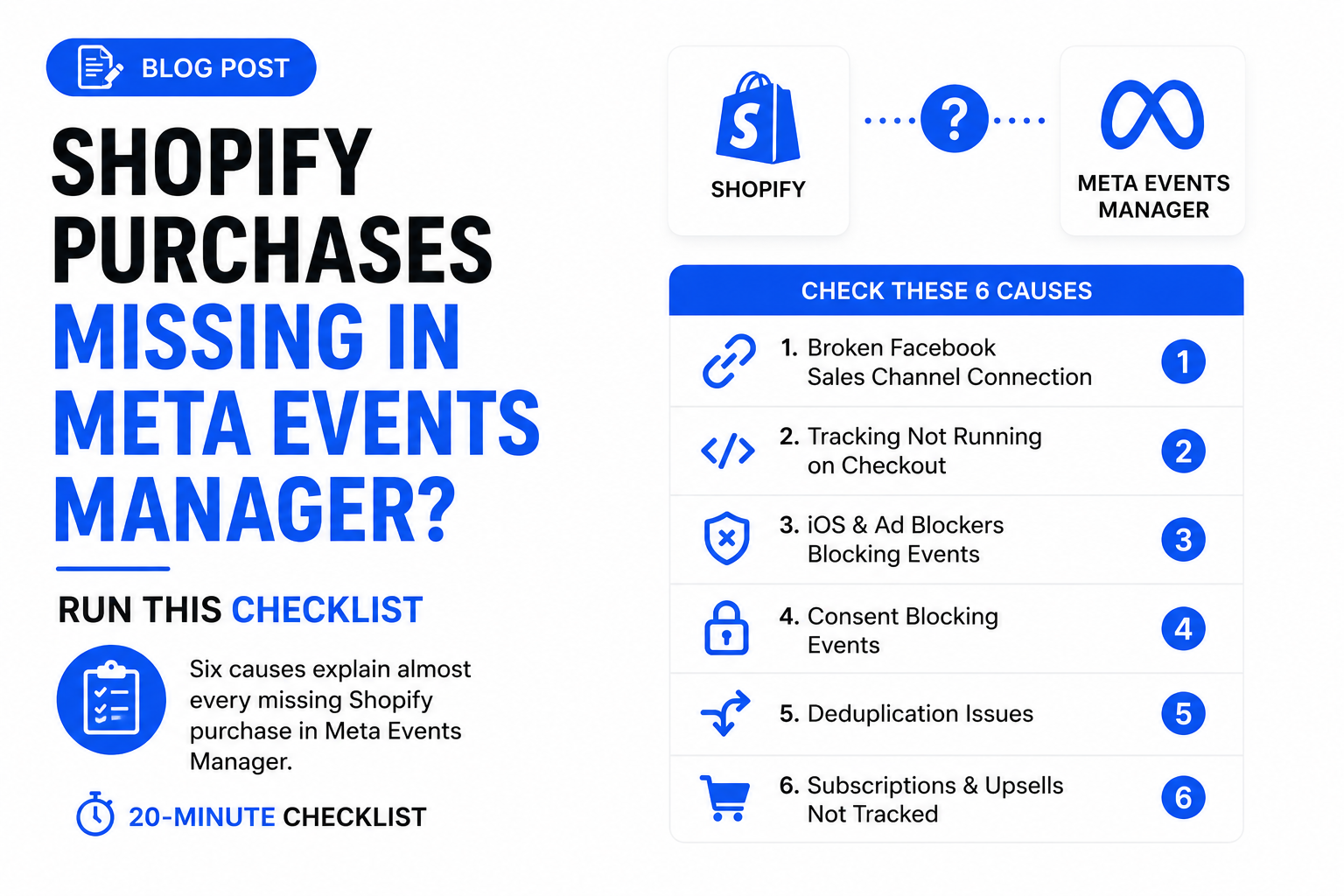
Shopify says 214 orders this week. Events Manager says 168 Purchases. I've run that comparison on dozens of Shopify stores, and the gap is almost never one problem. It's usually two or three stacked. Work the causes below in order, then run the checklist at the bottom.
Is your Facebook sales channel connection actually working?
Check this first, because it silently breaks more often than anything else. The Facebook & Instagram sales channel connects to Meta through an access token tied to a personal Facebook account. Password change, lost Business Manager access, a security checkpoint on the profile: any of these kills the token. Shopify keeps taking orders. Meta just stops hearing about them.
In Shopify admin, open Settings → Apps and sales channels → Facebook & Instagram. You want a healthy connection with no re-authentication banner, and data sharing set to Maximum. Standard sends browser-only events; Maximum also sends server events through the Conversions API.
Are your tracking scripts even running on checkout?
If Meta tracking was set up through a theme snippet or Google Tag Manager, there's a good chance it never runs where the purchase happens. Shopify retired checkout.liquid and the old "additional scripts" box; custom checkout tracking now runs through web pixels, sandboxed with restricted access to the page, cookies, and DOM.
- Your Purchase tag lives in a theme file or GTM container that loads on the storefront but not inside checkout. Add-to-carts track fine. Purchases never fire. This pattern is behind half the "purchases missing" audits I do.
- You migrated to a custom web pixel, but the sandbox can't read
_fbpand_fbcthe way your old script did. Events arrive with match quality so poor Meta can't attribute them.
Test it: place a real order and watch Test Events. If AddToCart shows up and Purchase never does, checkout is your gap.
Are ATT and ad blockers eating purchases you can't see?
Some purchases are invisible to the browser pixel no matter how correctly it's installed. Apple's App Tracking Transparency cuts off iOS users who decline the prompt, Safari's ITP caps cookie lifetimes, and ad blockers strip the pixel script outright. These buyers still order. Their browsers just never tell Meta.
You can't fix this in the browser. The fix is the Conversions API: your server (or Shopify's, via Maximum data sharing) reports the purchase directly to Meta. Pixel-only in 2026 means a permanent gap is the expected result, not a bug.
Is consent blocking your EU purchases?
If your missing purchases skew European, look at consent first. Shopify's Customer Privacy settings hold pixels back until consent in the regions you select. A misconfigured banner leaves the pixel waiting for a consent signal that never comes, even from customers who clicked accept.
The usual culprit: a third-party cookie banner that isn't integrated with Shopify's Customer Privacy API. The banner collects the click, Shopify never hears about it, and every governed pixel stays silent for the whole session, purchase included. Test with a VPN set to Germany: accept the banner, buy something cheap, watch Test Events. Silence after consent means the banner and Shopify aren't talking.
Is deduplication collapsing purchases that should count?
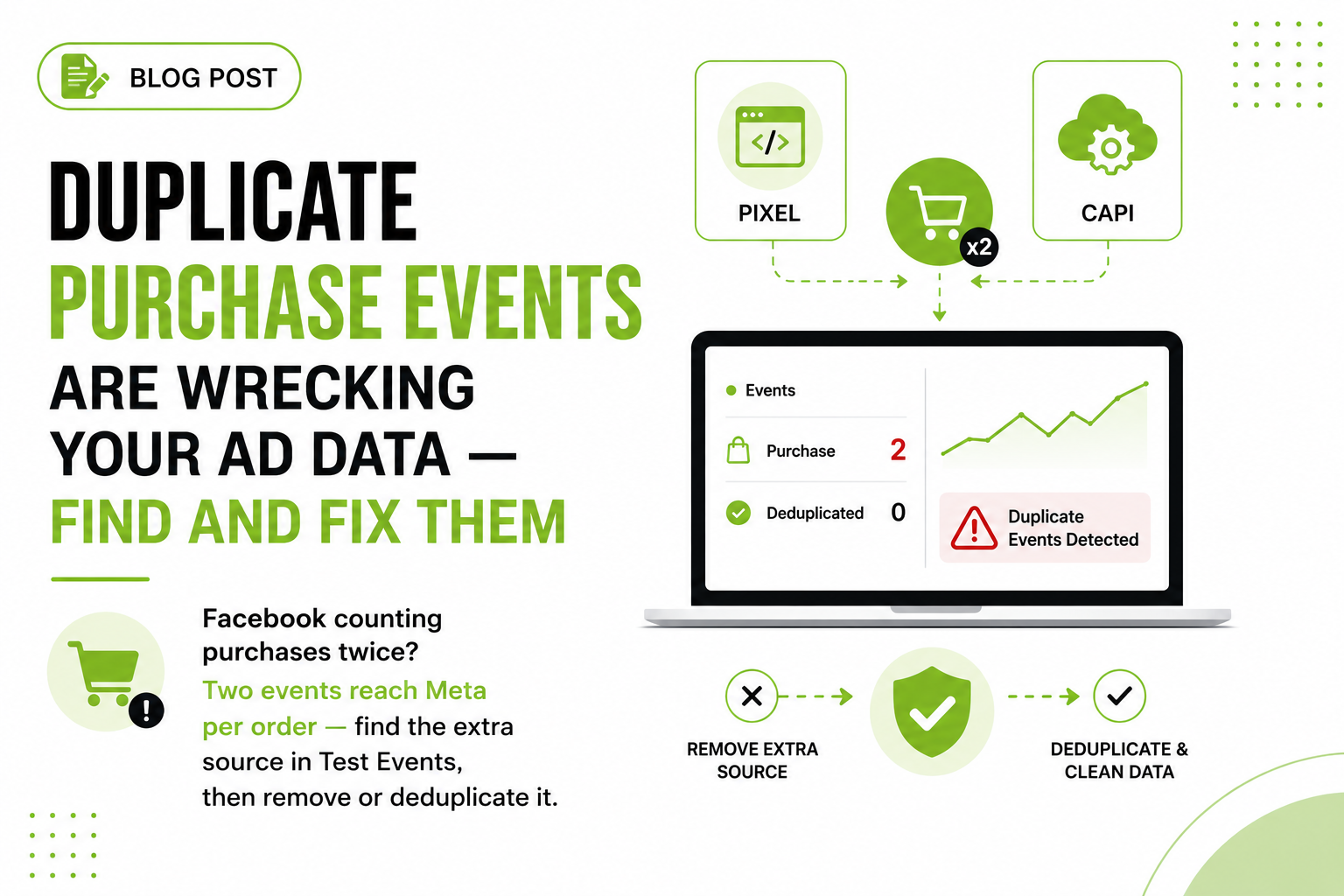
Dedup errors usually cause double counting, but the opposite failure is nastier: real purchases discarded as duplicates. Meta dedupes events sharing the same event name and event_id, keeping the first and dropping the rest. Two setups trigger it wrongly:
- A hardcoded or reused event_id. I've seen custom pixels ship with a static string as the event ID. First purchase counts. Every purchase after it gets thrown away as a duplicate.
- Double integrations fighting each other. The native channel sending CAPI events plus a legacy app or custom pixel sending browser events, IDs colliding on some orders and not others. Symptom: a partial, inconsistent gap that changes daily.
Check the Purchase event in Events Manager: the browser-versus-server breakdown and the dedup stats. Healthy setups show pairs merging. Broken ones show piles of dropped server events, or counts that don't remotely line up.
Are subscriptions and upsells bypassing your storefront entirely?
Some orders never load a page in the customer's browser, so no browser pixel can see them. Subscription renewals are the big one: apps like Recharge create renewal orders through the billing system in the background. No session, no pixel, no Purchase event. If a third of your revenue is recurring, your "missing purchases" may just be renewals working as designed.
Post-purchase upsells are sneakier. Your Purchase event fires on the thank-you page, but one-click upsell flows can create or modify orders after that moment, so the extra order never reports or the value doesn't match what Shopify billed. Draft orders and POS sales bypass the storefront the same way.
These only get tracked server-side, from order webhooks, where you can also exclude renewals so Meta optimizes toward new customers, not billing cycles.

- Compare the raw numbers — Shopify orders against Meta Purchase events over the same 7-day window
- Check the Facebook sales channel — Settings, Apps and sales channels: any re-authentication banner is cause number one
- Confirm Maximum data sharing — Standard and Enhanced send browser-only events, with no Conversions API behind them
- Place a test order, watch Test Events — Purchase should appear twice, browser and server, with matching event IDs and a dedup indicator
- Inspect the browser/server split — Piles of dropped server events mean deduplication is discarding real orders
- Count non-storefront orders — Renewals, draft orders and POS sales. If they roughly equal your gap, that's your answer
What should you check first? The 20-minute checklist
Run these in order.
Compare raw numbers (3 min). Shopify orders vs Purchase events, same 7-day window. A big gap means something below is broken.
Check the sales channel (2 min). Settings → Apps and sales channels → Facebook & Instagram. Any re-authentication warning is cause #1.
Confirm Maximum data sharing (1 min). Standard or Enhanced means no server events.
Open Diagnostics in Events Manager (2 min). Meta flags dedup problems, missing parameters, and anomalies here.
Place a test order, watch Test Events (7 min). Purchase should appear twice, browser and server, matching event IDs, deduplicated indicator showing.
Inspect the browser/server split on Purchase (2 min). Unbalanced counts or dropped server events point to dedup.
Test consent from the EU (2 min). VPN to an EEA country, accept the banner, confirm the pixel fires afterward.
Count non-storefront orders (1 min). Renewals, draft orders, POS. If they roughly equal your gap, that's your answer.

| Browser pixel only | Purchases from webhooks |
|---|---|
| iOS buyers who decline ATT | Fires for every order, however created |
| Ad blockers strip the pixel script | Renewals can be excluded on purpose |
| Tab closed before the thank-you page | Shared event_id dedupes with the pixel |
| Subscription renewals have no session | Hashed email and phone lift match quality |
| Draft and POS orders skip the storefront |
When should you stop patching and go server-side?
When the checklist shows your losses come from ATT, ad blockers, consent, or off-storefront orders, the problem is structural. Broken tokens and dedup bugs are an afternoon fix. Browsers refusing to talk to Meta is not.
The structural fix: a server GTM container (self-hosted or on Stape) fed by Shopify order webhooks, sending Purchase events through the Conversions API with hashed customer data, fbp and fbc where available, and a shared event_id for clean dedup against the browser pixel. Webhooks fire for every order however it was created, so renewals and upsells get covered too. Maximum data sharing is the low-effort version, fine for many stores, but you get no control over renewal filtering, value adjustments, or match quality tuning.
Frequently asked questions
Why are my Shopify purchases not showing in Meta Events Manager?
The most common causes: a broken sales channel connection, tracking code that doesn't run on checkout, ATT or ad blockers with no Conversions API backup, consent blocking EU sessions, faulty deduplication, or subscription and upsell orders that never touch the storefront.
How long do Shopify purchases take to appear in Events Manager?
Usually minutes, though aggregate reporting can lag a few hours. If a purchase hasn't appeared within a day, it's missing, not delayed.
Does Shopify's Facebook integration use the Conversions API?
Yes, when data sharing is set to Maximum. Standard sends browser-only events; Maximum adds server-side events with deduplication handled by Shopify.
Why does Events Manager show purchases but Ads Manager shows no conversions?
Events Manager counts every event received; Ads Manager only shows purchases attributed to your ads. Poor match quality, missing fbc/fbp parameters, or heavy non-ad traffic makes the two diverge.
Do subscription renewal orders fire the Meta Purchase event on Shopify?
No. Renewals are created server-side with no browser session, so no pixel fires. Webhook-based Conversions API tracking captures them, though most stores should exclude renewals so Meta optimizes for new customers.
Can I recover purchases Meta already missed?
Partially. The Conversions API accepts events up to 7 days old, so a server-side setup can backfill recent orders. Anything older is unrecoverable.