Ecommerce tracking breaks loudly — a Shopify purchase stops firing and someone notices by lunch. Lead-gen tracking breaks quietly: the form works, leads land in the CRM, and Google Ads slowly starves because the conversion signal never made it back. I've audited funnels that ran like this for months. The campaign was fine. The tracking was dead.
Why does lead tracking break on funnel builders?
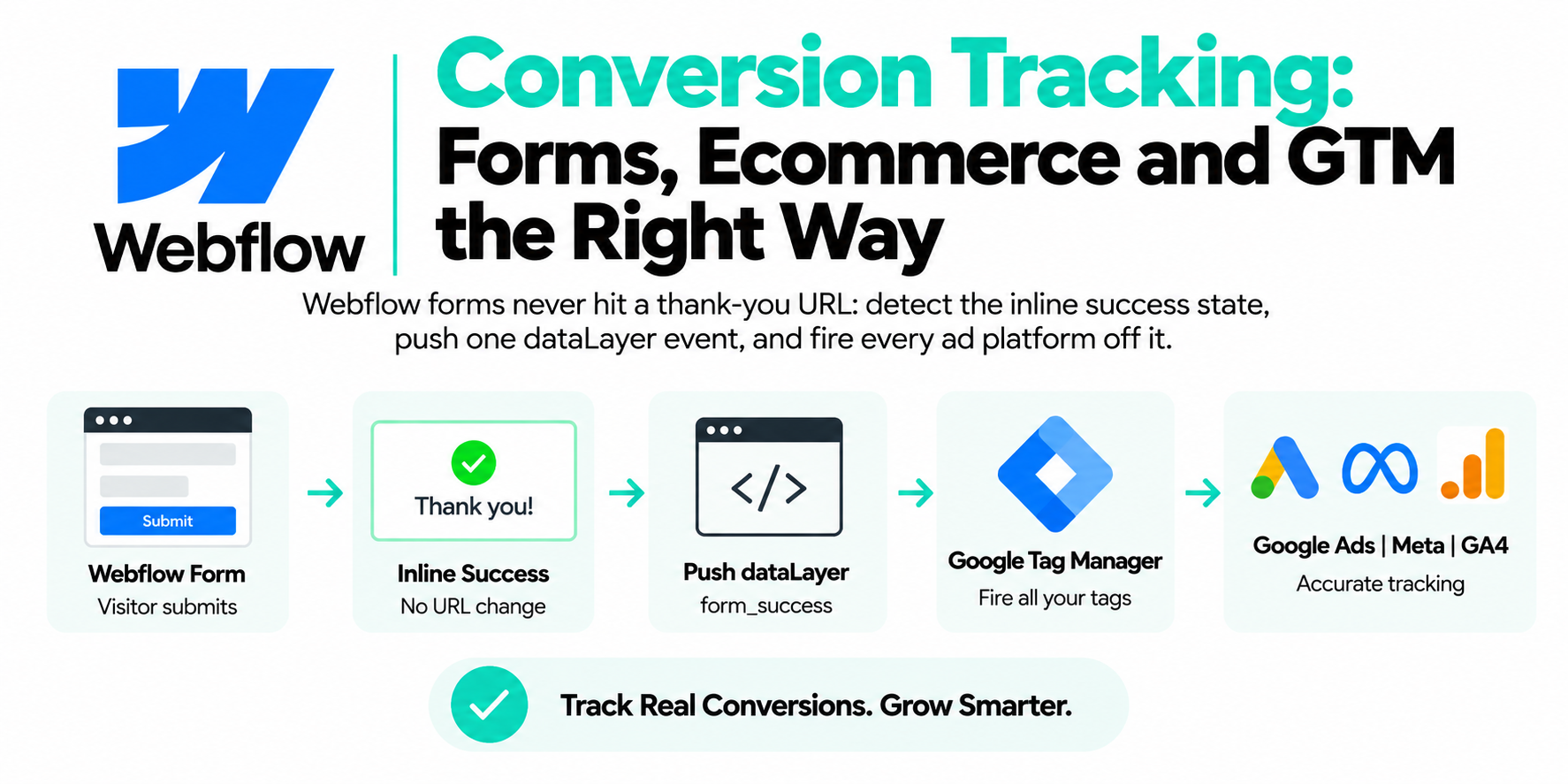
Because the thank-you moment often never produces a page load your tags can see. Funnel builders handle the post-submit step in three ways, and two of them are hostile to tracking:
- Inline success messages. The form swaps to a "Thanks, we'll be in touch" message without leaving the page. No page view, no thank-you trigger.
- Iframed forms. GoHighLevel forms embedded on an external site load from LeadConnector inside an iframe. GTM on the parent page can't see the fields or the submit.
- Fast redirects. The form redirects to the next step before your conversion tag finishes. The tag starts, the page unloads, the hit dies.
And even when the form fill tracks perfectly, you've only measured the cheapest event in the funnel. The lead that matters books, shows up, and pays — and that signal lives in your CRM, not on your website. Enhanced conversions bridges both gaps.

| For web | For leads |
|---|---|
| Measures the on-site conversion | Measures an off-site outcome later |
| Hashed data rides the conversion tag | Captured at submit, sent on close |
| One step, nothing to upload later | Second half lives in your CRM |
| Use it on the form fill itself | No GCLID to store anywhere |
What's the difference between enhanced conversions for web and enhanced conversions for leads?
Enhanced conversions for web improves measurement of conversions that happen on your site; enhanced conversions for leads measures conversions that happen off your site, later — a deal closed on a sales call two weeks after the click. Same hashed-data mechanism, completely different job, and picking the wrong one in the conversion settings is a mistake I see in audits constantly.
| Enhanced conversions for web | Enhanced conversions for leads | |
|---|---|---|
| What it measures | The online conversion itself (form submit, purchase) | An offline outcome tied back to the ad click |
| When data is sent | Hashed email/phone rides along with the conversion tag | Captured at form submit; closed deal uploaded later |
| Needs GCLID? | No (it supplements the cookie) | No — it matches on hashed user data instead of a stored click ID |
| Where the second half lives | Nowhere — one step | Your CRM, via offline conversion import |
For a lead-gen funnel you usually want both: enhanced conversions for web on the form fill so Google measures it reliably, and enhanced conversions for leads so closed deals flow back without you ever storing a GCLID in the CRM.
How do you capture the email and phone at submit?
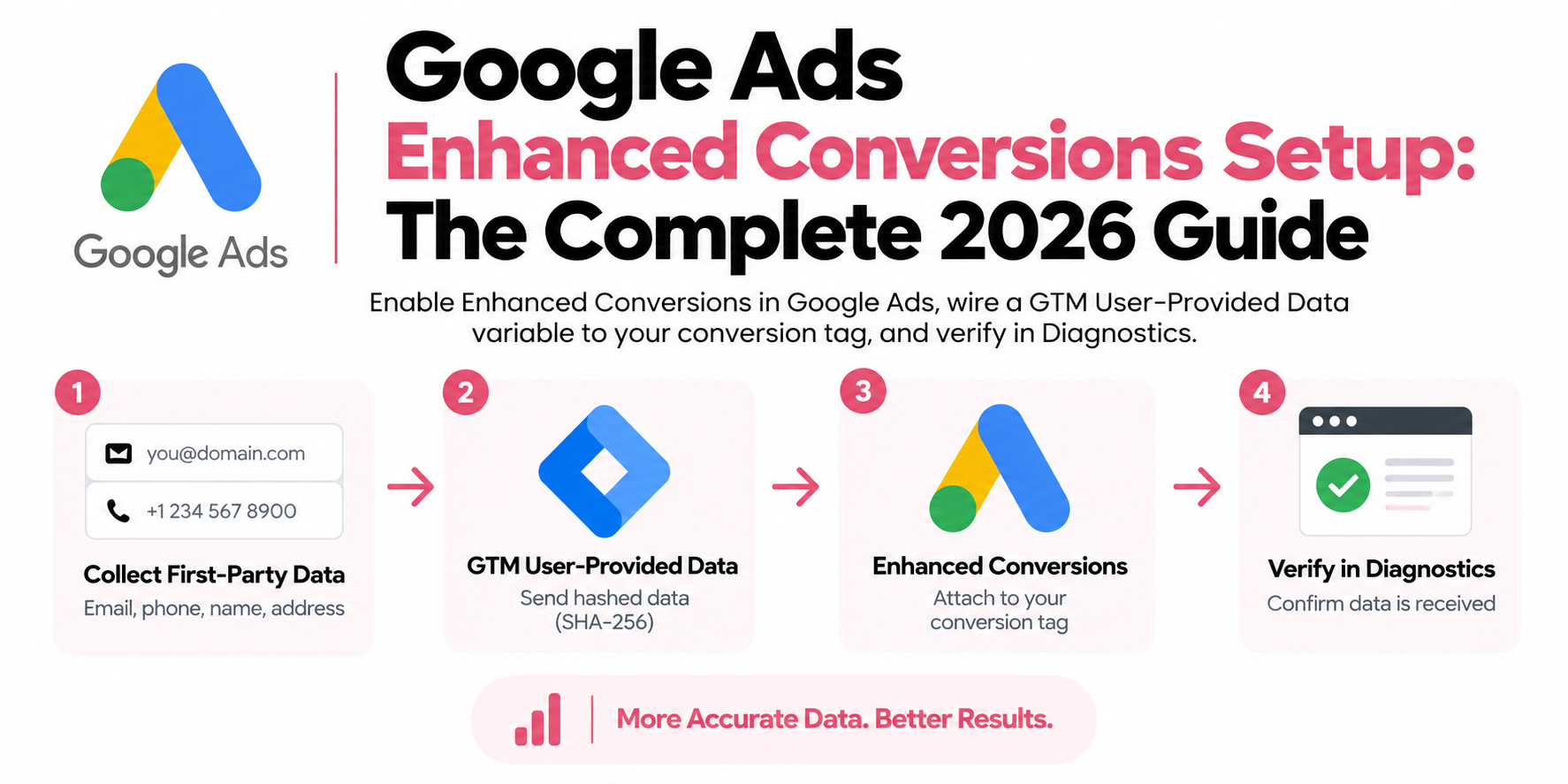
Grab the values from the form fields the instant the user submits, push them into the dataLayer, and let Google's tag handle hashing. You never hash anything yourself — the tag normalizes the values and hashes them with SHA-256 in the browser before anything leaves the page. Here's the capture snippet I use on custom funnels:
document.addEventListener('submit', function (e) {
  var form = e.target;
  var email = form.querySelector('input[type="email"], input[name*="email" i]');
  var phone = form.querySelector('input[type="tel"], input[name*="phone" i]');
  window.dataLayer = window.dataLayer || [];
  window.dataLayer.push({
    event: 'lead_form_submit',
    lead_email: email ? email.value.trim().toLowerCase() : undefined,
    lead_phone: phone ? phone.value.trim() : undefined
  });
}, true);
Then in GTM: create Data Layer Variables for lead_email and lead_phone, map them in a User-Provided Data variable, and attach that to your Google Ads conversion tag with enhanced conversions turned on in the conversion action's settings. The true at the end of that listener matters — it captures before the funnel builder's own scripts redirect the page out from under you.

| Breaks the conversion | Fires reliably |
|---|---|
| Inline 'Thanks!' with no page load | Redirect to a real thank-you step |
| GHL form in a LeadConnector iframe | GTM once, at the funnel level |
| Redirect fires before the tag finishes | Capture snippet in the footer code |
| Trigger on step two's page view | Tag fires on lead_form_submit |
How do you set up enhanced conversions in GoHighLevel?
On GHL-hosted funnel pages: put GTM in the funnel's tracking-code settings, capture at submit, and always redirect to a dedicated thank-you step. GHL gives you head and body code boxes at the funnel level plus per-step custom code, so placement is easy. The traps are in how the form behaves after submit:
- Install GTM once at the funnel level, not per step, or you'll end up with duplicate containers on step two.
- Set every form's on-submit action to redirect to a real thank-you page. The inline "thank you" message option is the silent killer — no page load, no trigger, no conversion.
- Add the capture snippet (above) in the funnel's footer code so email and phone land in the dataLayer before the redirect.
- Fire the Google Ads conversion tag on the
lead_form_submitevent, and keep the thank-you page view as a GA4 backup. Firing on the thank-you page instead means the lead data has to survive the redirect — more plumbing than it's worth.
How do you set it up in ClickFunnels?
ClickFunnels is friendlier because every funnel step is a real page load: opt-in submits, browser navigates to step two, tags get a clean page view. Put GTM in the funnel-wide tracking code (head), add the capture snippet in the footer, and pick a conversion trigger:
- Fire on
lead_form_submiton the opt-in page, with email and phone fresh in the dataLayer. This is my default. - Fire on the next step's page view with a page-path trigger. Simpler, but the user data from step one isn't in the dataLayer on step two, so your enhanced conversions payload arrives empty. That defeats the purpose.
Option one, almost always. And if the funnel sells a low-ticket front end, give the order-form purchase its own conversion action with a value. A $27 tripwire buyer and a raw opt-in shouldn't report as the same conversion.

- Form submits — Listener grabs email and phone pre-redirect
- dataLayer push — lead_form_submit with plain, trimmed values
- Google's tag hashes — Normalized and SHA-256 in the browser
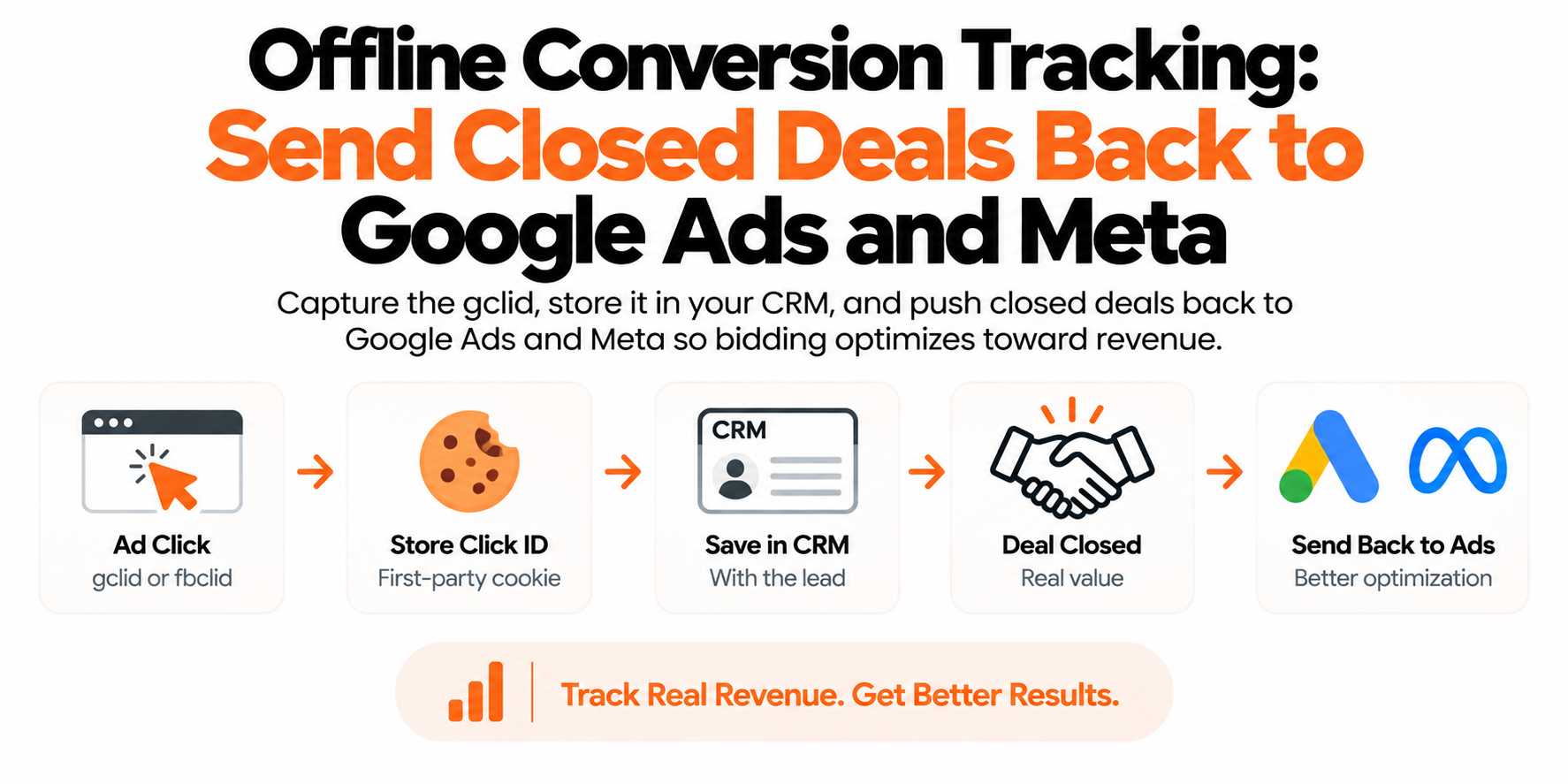
- CRM stage changes — Qualified, then Closed Won, with a value
- Offline import — Matched back to the click by hashed data
How do you send the deals that close later back to Google Ads?
With offline conversion imports: when a lead becomes a qualified opportunity or closed deal in your CRM, you upload that outcome (email, phone, conversion time, conversion name) to Google Ads, and Google matches it back to the original ad click through the hashed data captured at form submit. This is the "for leads" half, and it's where lead-gen accounts go from guessing to knowing.
- In Google Ads, create a conversion action with the Import source (conversions from clicks) and enable enhanced conversions for leads on it.
- Make sure your form-submit tag is already sending hashed user data — without that first touch, there's nothing to match against later.
- Pipe the CRM outcome to Google. From GoHighLevel, a workflow firing on stage change ("Qualified," "Closed Won") can hit a webhook or Zapier into Google Ads offline conversions; for custom stacks, a scheduled Google Sheets upload or the Google Ads API does the same job.
- Upload within your conversion window, and send the actual close time, not the upload time.
Create separate conversion actions per stage — lead_qualified, deal_closed — with real values. A $5,000 closed deal should not weigh the same as a form fill.
Should you optimize for form fills or qualified leads?
Qualified leads, as soon as you have enough volume to feed the algorithm. A form fill is a click with a name attached. Let Smart Bidding optimize toward raw form fills and it finds you more of whatever fills forms cheapest — freebie seekers, job applicants, bots. I've watched accounts double their lead count while booked calls stayed flat.
The practical pattern: once your imported qualified-lead conversion has consistent volume, make it primary and demote the raw form fill to secondary. If qualified volume is too thin, keep the form fill primary but assign honest values — a fraction of what a qualified lead is worth — and let value-based bidding sort it. The whole point of this stack is that Google finally optimizes toward the leads that pay you, not the ones that merely exist.
Do lead-gen funnels need server-side tracking too, or is that an ecommerce thing?
Lead gen arguably needs it more. B2B and professional audiences run ad blockers at the highest rates of any segment, so the browser tags on your form pages are exactly the ones most likely to be eaten. Every blocked generate_lead event is a lead Google can't learn from — and in lead gen, volumes are low enough that losing a fifth of your signal visibly degrades bidding.
A first-party server layer fixes the fragile parts at once. The lead event fires from your server off the form tool's webhook, so it can't be blocked and can't fire on a failed validation. Enhanced conversions data gets hashed and sent server-side from the actual CRM record, which beats whatever a browser script could scrape. And the qualified and closed stages — the conversions that matter — already live in your CRM, so the same pipe carries them back to Google as offline imports. One architecture, every stage of the funnel.
Frequently asked questions
What is the difference between enhanced conversions for web and for leads?
Enhanced conversions for web attaches hashed email and phone to a conversion that happens on your site, making that measurement more reliable. Enhanced conversions for leads captures the same hashed data at form submit so you can later import offline outcomes from your CRM.
Do I need to store the GCLID for enhanced conversions for leads?
No. Matching runs on the hashed email and phone captured at form submit — no click ID to capture, pass through hidden fields, and store in the CRM.
Does Google hash the email automatically or do I hash it myself?
Google's tag normalizes and SHA-256 hashes the data in the browser before sending it. Push plain values into the dataLayer and let the tag do the rest; only hash yourself if you upload through the API without the tag.
Why isn't my GoHighLevel form firing conversions on my website?
Embedded GHL forms load inside a LeadConnector iframe, and tags on the parent page can't see fields or submits inside it. Redirect the form to a thank-you page on your domain, or host the step on a native GHL funnel page.
Can I import a conversion that happens weeks after the click?
Yes, as long as it lands inside the conversion action's click-through conversion window. Send the real close timestamp, not the upload time.
Is enhanced conversions GDPR compliant?
It can be, but for EEA traffic the data only flows when the visitor grants ad_user_data consent under Consent Mode v2, so your banner has to be wired into your tags. Disclose the processing in your privacy policy.
Should every form fill count as a Google Ads conversion?
Track it, but don't bid on it forever. Once your imported qualified-lead conversion has steady volume, make it primary and demote the form fill to secondary so Smart Bidding chases lead quality, not lead count.