I audit Meta tracking setups every week, and the same two failure modes keep showing up. Store one runs Pixel-only tracking and quietly loses a slice of its purchases to ad blockers and Safari. Store two went all-in on "server-side" and fires CAPI events with no browser identifiers attached, so Meta can barely match them to actual people. Both setups are half a system.

| Pixel only | CAPI only | Both, deduplicated |
|---|---|---|
| Ad blockers kill connect.facebook.net | Delivery is reliable, matching is not | Browser collects _fbp, _fbc, fbclid |
| Safari ITP caps _fbp at seven days | No _fbp, _fbc or fbclid to send | Server guarantees the event arrives |
| iOS ATT opt-outs thin the signal | Your data center IP stands in | Same event_name and event_id |
| Undercounts real purchases silently | Event Match Quality drops | Meta keeps one clean copy |
What's the actual difference between the Meta Pixel and the Conversions API?
The Pixel is JavaScript running in your visitor's browser; the Conversions API is a server-to-server connection sending the same events from your backend (or a server-side GTM container) directly to Meta. That one architectural difference explains what blocks each, what data each can see, and how reliable each is.
| Meta Pixel (browser) | Conversions API (server) | |
|---|---|---|
| Data source | JavaScript in the visitor's browser (fbq calls) | Your server, a webhook, or a server GTM container calling Meta's Graph API |
| What blocks it | Ad blockers, Safari ITP, iOS ATT opt-outs, consent tools, flaky connections, users bouncing before it fires | Almost nothing. It's a direct HTTPS request from your infrastructure to Meta |
| Browser context | Sees everything natively: _fbp and _fbc cookies, fbclid, page URL, IP, user agent | Sees nothing unless you collect it in the browser and pass it along |
| Reliability | Degrades with every browser privacy change | Consistent. Fires even if the browser never loads a single script |
| Setup effort | Low. Paste the base code or toggle a platform integration | Higher. You need server infrastructure, event payload mapping, and deduplication logic |
The Pixel is easy and rich but fragile. CAPI is durable but blind without help. Neither wins alone.
What does the Meta Pixel miss on its own?
A Pixel-only setup loses events before they ever leave the browser, and you'll never see an error message for any of it. Three mechanisms do most of the damage.
Ad blockers. Content blockers routinely kill requests to connect.facebook.net and the facebook.com/tr endpoint. The Pixel doesn't load, doesn't fire, reports nothing. The purchase still happened. Meta just never heard about it.
Safari's Intelligent Tracking Prevention. WebKit's ITP caps JavaScript-set cookies at seven days, and _fbp is exactly that kind of cookie. A Safari user who clicks your ad, thinks about it for two weeks, and comes back to buy looks like a brand-new person. The identifier that would have connected click to purchase expired quietly in the meantime.
ATT opt-outs. Since iOS 14.5, Apple's App Tracking Transparency has required apps to ask permission before tracking users across other companies' apps and websites, and most people decline. iOS traffic from the Facebook and Instagram in-app browsers carries far less usable signal than before.
Stack those together and Pixel-only tracking undercounts real conversions, worst on iOS-heavy and Safari-heavy traffic. And Meta optimizes toward whatever data it receives. Feed it a biased sample and it learns to find the wrong buyers.
What does the Conversions API miss without the Pixel?
CAPI alone misses the browser context that makes attribution work, because a server request has no native access to the visitor's cookies or landing URL. The three pieces that matter most:
The _fbp cookie. The Pixel sets _fbp as a first-party browser identifier, and Meta uses it to match events to people. A CAPI event carrying fbp matches far better than one arriving with just a hashed email. But the cookie lives in the browser, so something in the browser has to read it and hand it to your server.
The _fbc cookie and fbclid. When someone clicks a Meta ad, the landing URL carries an fbclid parameter, and the Pixel stores it in the _fbc cookie. That's the direct thread between a specific ad click and the eventual purchase. A pure server-side setup that never captures fbclid throws that thread away, and click-through attribution suffers.
IP address and user agent. Meta expects client_ip_address and client_user_agent on website CAPI events, meaning the visitor's, not your server's. Send your data center's IP and you've told Meta every customer lives in one building.
This is why I push back when someone asks me to "replace the Pixel with CAPI." The strongest CAPI events are enriched with data the browser collected. Kill the browser layer and your Event Match Quality drops, and with it your attribution. The real exception is offline events, like a phone sale, where no browser session exists and you match on hashed email and phone instead.

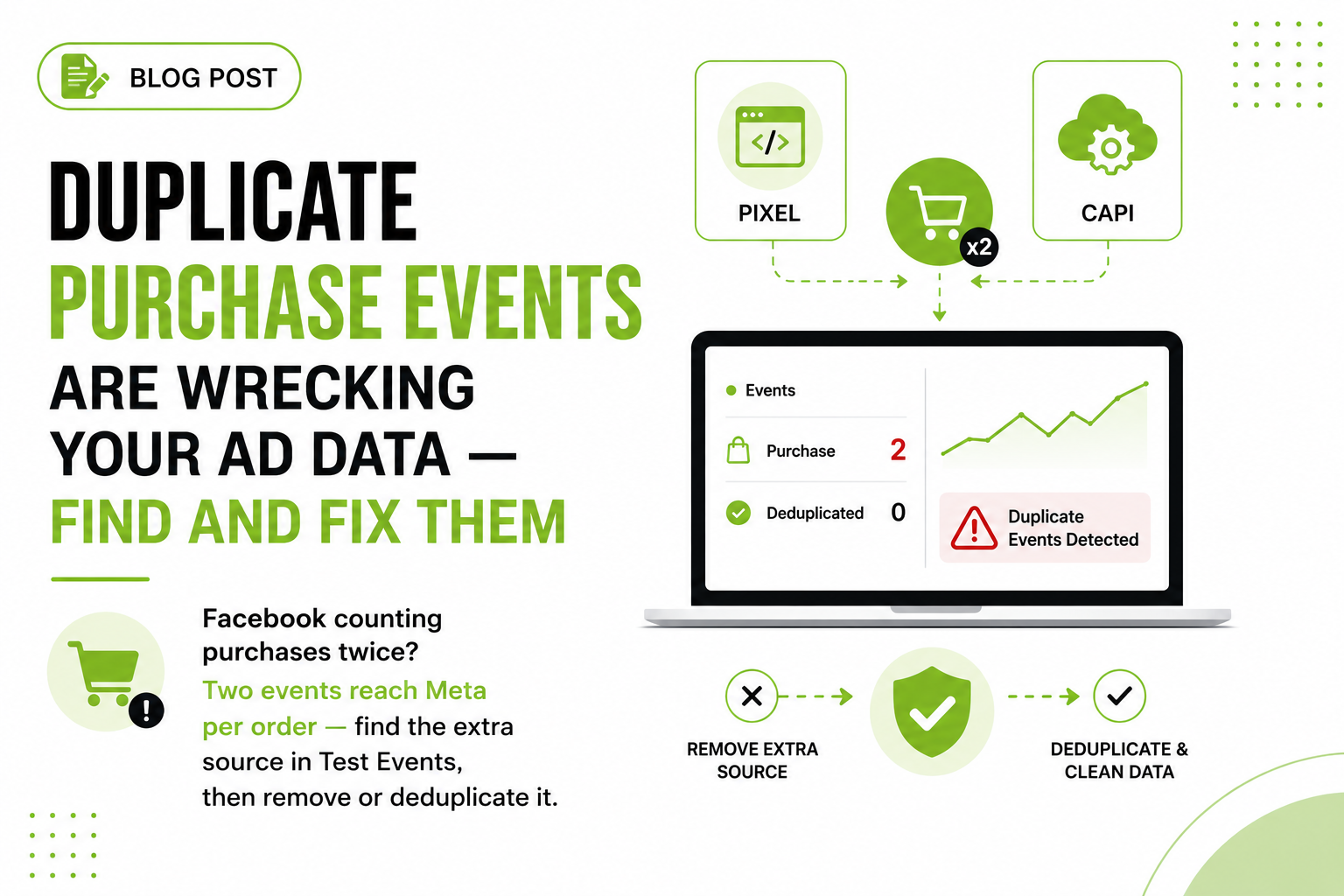
- Order 84921 is paid — One real purchase, two reports to send
- Browser Pixel — fbq(...) with eventID: order_84921
- Server CAPI — event_id: order_84921, same event_name
- Meta matches the pair — Keeps the first, discards the duplicate
- One Purchase counted — Full coverage, no inflated ROAS
How does deduplication between Pixel and CAPI actually work?
Meta deduplicates when two events arrive with the same event_name and the same event_id, keeping the first one it receives and discarding the duplicate. That's the whole contract. Your job is to make sure the browser event and the server event for the same purchase carry the exact same ID.
On the browser side, the ID goes in the fourth argument of the fbq call, and the parameter is spelled eventID:
fbq('track', 'Purchase', {
  value: 129.00,
  currency: 'USD'
}, {eventID: 'order_84921'});
On the server side, the same value goes in the event_id field of the CAPI payload:
{
  "event_name": "Purchase",
  "event_id": "order_84921",
  "event_time": 1754200000,
  "action_source": "website",
  "user_data": {
    "em": ["<hashed email>"],
    "client_ip_address": "203.0.113.7",
    "client_user_agent": "Mozilla/5.0 ...",
    "fbp": "fb.1.1754...",
    "fbc": "fb.1.1754....<fbclid>"
  },
  "custom_data": {"value": 129.00, "currency": "USD"}
}
The cleanest ID for a purchase is the order ID, since your checkout page and your server both already know it. For events without a natural key, like AddToCart, generate a random ID in the browser, push it into the dataLayer, and pass that same value to the server event.
To verify it's working, open Events Manager, click into your dataset, and select the event. The event details break activity down by connection method: Browser, Server, and how many were deduplicated. Healthy dedup shows overlapping counts with a clear deduplicated figure, not an inflated total.
What are the most common deduplication mistakes?
The mistakes I find in audits are almost always one of these five.
- Mismatched IDs. The browser generates one random ID, the server generates another, and Meta sees two different purchases. Classic double counting. You notice it when purchases in Events Manager outnumber orders in your store admin.
- Only sending the ID server-side. A CAPI event with an event_id can't deduplicate against a Pixel event that has none. Both sides need the ID. I see this constantly with plugin setups where the server integration got configured but the theme's fbq calls were never touched.
- Confusing the parameter names. Browser:
eventID, inside the fourth argument of fbq. Server:event_id, in the event body. Same value, different spelling. Put eventID in the custom_data object, or event_id in the Pixel's parameter object, and Meta ignores it. - Different event names. Dedup keys on event_name plus event_id together. A browser "Purchase" and a server "purchase" (or "CompletePayment", or a custom name) will never deduplicate, matching IDs or not.
- Firing the events too far apart. Send both versions close together. A server event delayed by a long batch job risks landing outside Meta's dedup window and getting counted separately.

| Layer | What sits there |
|---|---|
| Inputs | _fbp cookie set by the Pixel, _fbc and the fbclid from the ad, Customer IP and user agent, Hashed email and phone at checkout |
| Your CAPI event | A server event enriched with the identifiers only the browser can collect |
| Destinations | Higher EMQ on Meta's 0-10 scale, More conversions matched to people, Stronger delivery optimization, Attribution you can trust |
What is Event Match Quality and why should you care?
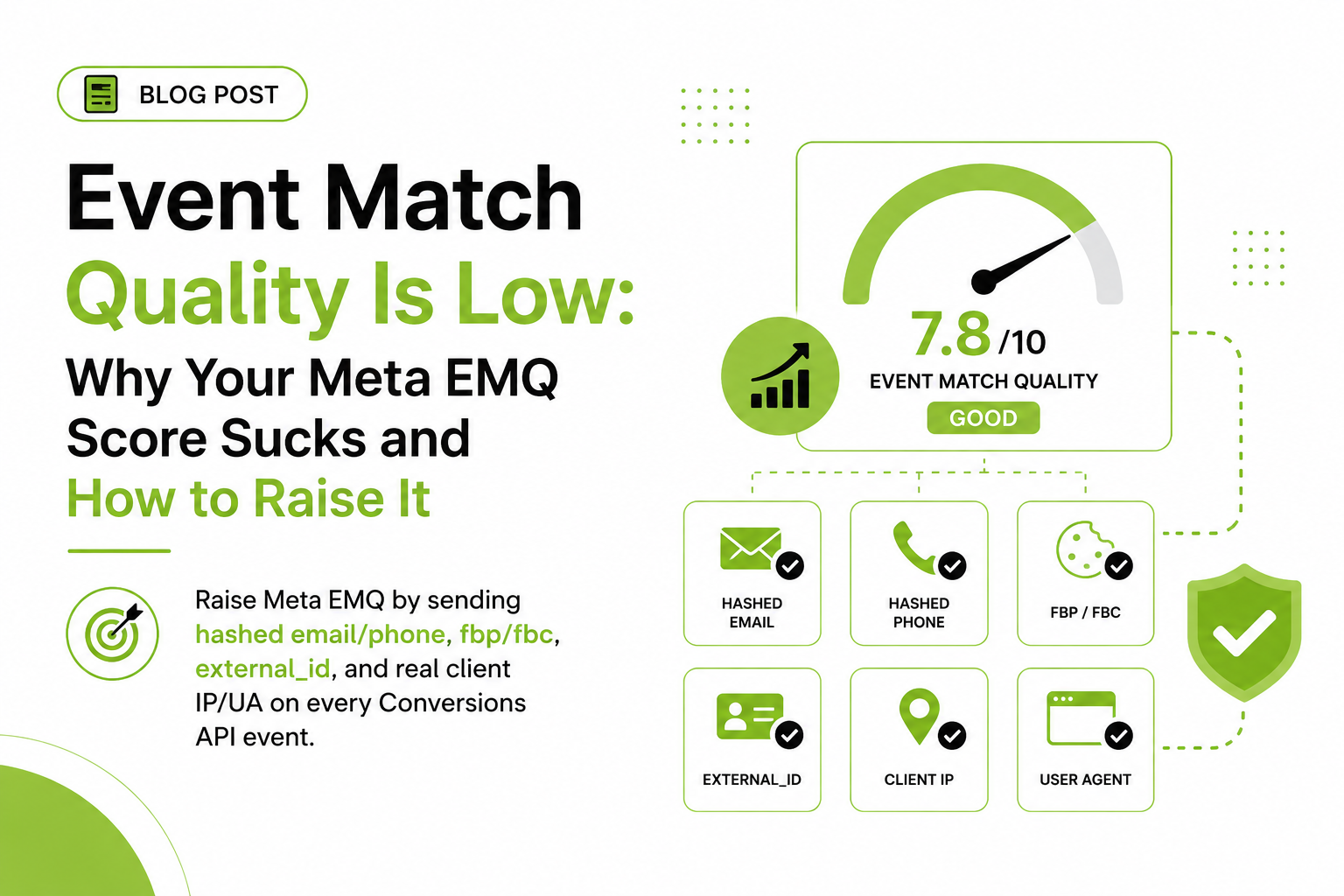
Event Match Quality (EMQ) is Meta's 0-to-10 score, shown per event in Events Manager, for how well the customer information on your server events matches events to Meta accounts. It's graded on the identifiers you send: hashed email, hashed phone, fbp, fbc, client IP and user agent, external_id, name, and location fields.
EMQ matters because an event Meta can't match to a person can't be attributed to your ad and can't teach the delivery system anything. Low EMQ means fewer matched conversions, weaker optimization, murkier reporting, even when events are technically arriving. Raising it is mostly plumbing: pass fbp and fbc on every event, send hashed email and phone wherever the user provided them (checkout is the obvious spot), and make sure IP and user agent are the customer's, not your server's.
Which loops back to the core argument. The parameters that lift EMQ most on website events are the ones only the browser can hand you. The Pixel is your data collector. CAPI is your delivery guarantee.
Frequently asked questions
Do I need both the Meta Pixel and the Conversions API?
Yes, for website tracking. The Pixel supplies browser identifiers like _fbp and _fbc that make matching work, and CAPI guarantees delivery when the browser blocks the Pixel. Run both with deduplication.
Will running the Pixel and CAPI together double count my conversions?
Not if dedup is set up correctly. Send the same event_name and event_id from both sources and Meta keeps one copy. If purchases jumped after adding CAPI, dedup is broken.
What happens if my event IDs don't match between browser and server?
Meta treats the two events as separate conversions and counts both. Your reported purchases and ROAS inflate, and campaign optimization runs on doubled data.
Where do I see deduplicated events in Events Manager?
Open your dataset in Events Manager, click the event name, and view the breakdown by connection method. It shows Browser events, Server events, and the number deduplicated.
What is a good Event Match Quality score?
Meta scores EMQ from 0 to 10 per event. There's no official pass mark, but I treat anything under 6 on Purchase as fixable, usually missing fbp, fbc, or hashed email.
Can the Conversions API bypass iOS App Tracking Transparency?
No. CAPI makes event delivery reliable, but it doesn't restore identifiers a user declined to share under ATT. It improves coverage and match quality within the rules, not around them.
Can I run the Conversions API without any Pixel at all?
You can, and for true offline conversions you should. For website events it costs you fbp, fbc, and fbclid capture, which lowers match quality and click attribution.