I've audited accounts where Google Ads reported several times more conversions than the backend had orders. Healthy graph, steady volume, nothing flagged in the interface. Target ROAS had spent months optimizing toward a number that was mostly noise, and nobody caught it because the count never dipped.
That's the trap. Everyone watches volume. Almost nobody checks what's inside it.
Why does Smart Bidding perform badly when conversions look fine?
Because Target CPA and Target ROAS don't optimize toward your business results. They optimize toward the conversion signal in your account, and that signal can be badly polluted while the totals look normal. For every auction, the algorithm predicts whether this click will convert and what it'll be worth, using your historical conversion data as ground truth. Feed it clean purchase data and it hunts buyers. Feed it a blend of purchases, duplicates, newsletter signups, and spam form fills, and it hunts whatever produces that blend cheapest. Usually the junk, because junk is cheap.
Here's what makes it invisible: pollution rarely lowers your conversion count. Duplicates raise it. Micro-conversions raise it. Bot leads raise it. The dashboard looks fine, sometimes better than fine, while ROAS on real revenue quietly falls apart. Garbage in, confident garbage out.

| Layer | What sits there |
|---|---|
| Inputs | Duplicate purchases, no dedup, Micro-conversions set as Primary, Missing or flat conversion values, Spam and bot form fills, Offline outcomes never imported |
| Smart Bidding | Target CPA and tROAS treat every Primary conversion action as ground truth |
| Destinations | Bids chase phantom revenue, Buys newsletter signups, tROAS bids blind on value, Buys more bot-adjacent traffic |
What kinds of bad data poison Smart Bidding without changing the counts?
Five failure modes cover almost every case I've seen, and none of them show up as a drop in reported conversions.
| Pollution | What the dashboard shows | What the algorithm learns |
|---|---|---|
Duplicate purchases (no transaction_id dedup) | Normal or inflated count and value | Some clicks are worth double. Bids chase phantom revenue. |
| Micro-conversions set as Primary | Strong volume | Find people who scroll and sign up for newsletters, not buyers. |
| Missing or flat conversion values | Count fine, value flat or zero on some orders | A $900 order equals a $40 order. tROAS goes blind. |
| Spam and bot form fills | Lead volume up, CPA down | Bots convert great. Buy more bot-adjacent traffic. |
| Offline truth never imported | Form fills look healthy | A form fill is the finish line, even when 80% never become pipeline. |
The duplicate case is the most common on ecommerce. Two classic causes: the purchase tag fires again when someone refreshes the thank-you page, or a GTM-fired conversion tag runs alongside a hardcoded gtag snippet the theme developer left behind. Google Ads deduplicates purchases that share a transaction_id, but only if you send one. No order ID, no dedup. Every refresh is fresh revenue as far as bidding is concerned.
The Primary/Secondary problem is sneakier because it was set up on purpose. Someone created "add to cart" and "key page view" actions to measure engagement, left them Primary, and never realized Primary means "bid toward this." One junk Primary action can outnumber your purchases five to one and dominate what the algorithm chases.

- Audit every conversion action — Goals > Conversions > Summary: is each Primary action a real business outcome?
- Segment by conversion action — Add Segment > Conversions > Conversion action and see what the blended column is made of
- Sanity-check the values — Conversion value divided by purchases should look like your real average order value
- Reconcile against the backend — 30 days of Shopify, WooCommerce or CRM orders next to Google Ads conversion value
How do I find out if my conversion data is lying?
Four checks, about an hour, no code required for the first three.
- Audit every conversion action. Goals > Conversions > Summary. For each action: is this a real business outcome (purchase, qualified lead, booked call)? If not and it's Primary, you found a polluter. Check counting too: purchases count "every," leads count "one" per click.
- Segment campaigns by conversion action. On the campaign table, add Segment > Conversions > Conversion action. The blended "Conversions" column splits open and you see what's actually feeding the number. I've seen this one view settle a weeks-long "why is tCPA broken" argument in under a minute — most of the column turns out to be some engagement action a past hire made Primary and forgot.
- Sanity-check values. Divide conversion value by purchase conversions and compare against your real average order value. Flat where it should vary, zero on some days, or way above your store's AOV — all point to hardcoded values, missing dynamic value on some templates, or a currency mismatch.
- Reconcile against the backend. Put 30 days of Shopify, WooCommerce, or CRM orders next to Google Ads conversion value for the same window. Attribution means these never match exactly. But if Google Ads reports more revenue than your entire store took in, that's not an attribution nuance. That's double counting.
If you use conversion value rules, check them too. A stacked value rule quietly multiplying certain segments will skew tROAS in ways none of the above catches.
What's the fix, ranked by impact?
Do these in order. The early ones are settings changes; the later ones are tracking work.
- Demote everything that isn't a business outcome to Secondary. Ten minutes, biggest single win in most polluted accounts. Keep the micro-conversions for reporting if you like them. Just stop feeding them to the bidder.
- Kill duplicates. Pass a real
transaction_id(the order ID) on every purchase conversion, and make sure exactly one tag fires per conversion. If GTM and a hardcoded snippet both track purchases, one of them goes. - Fix values. Dynamic value from the actual order total, correct currency parameter, verified on a test purchase. tROAS without accurate values is tCPA wearing a costume.
- Gate junk leads. Honeypot fields, reCAPTCHA, server-side validation — whatever stops the conversion from firing on garbage submissions. Cheaper than teaching the algorithm to love bots and then untraining it.
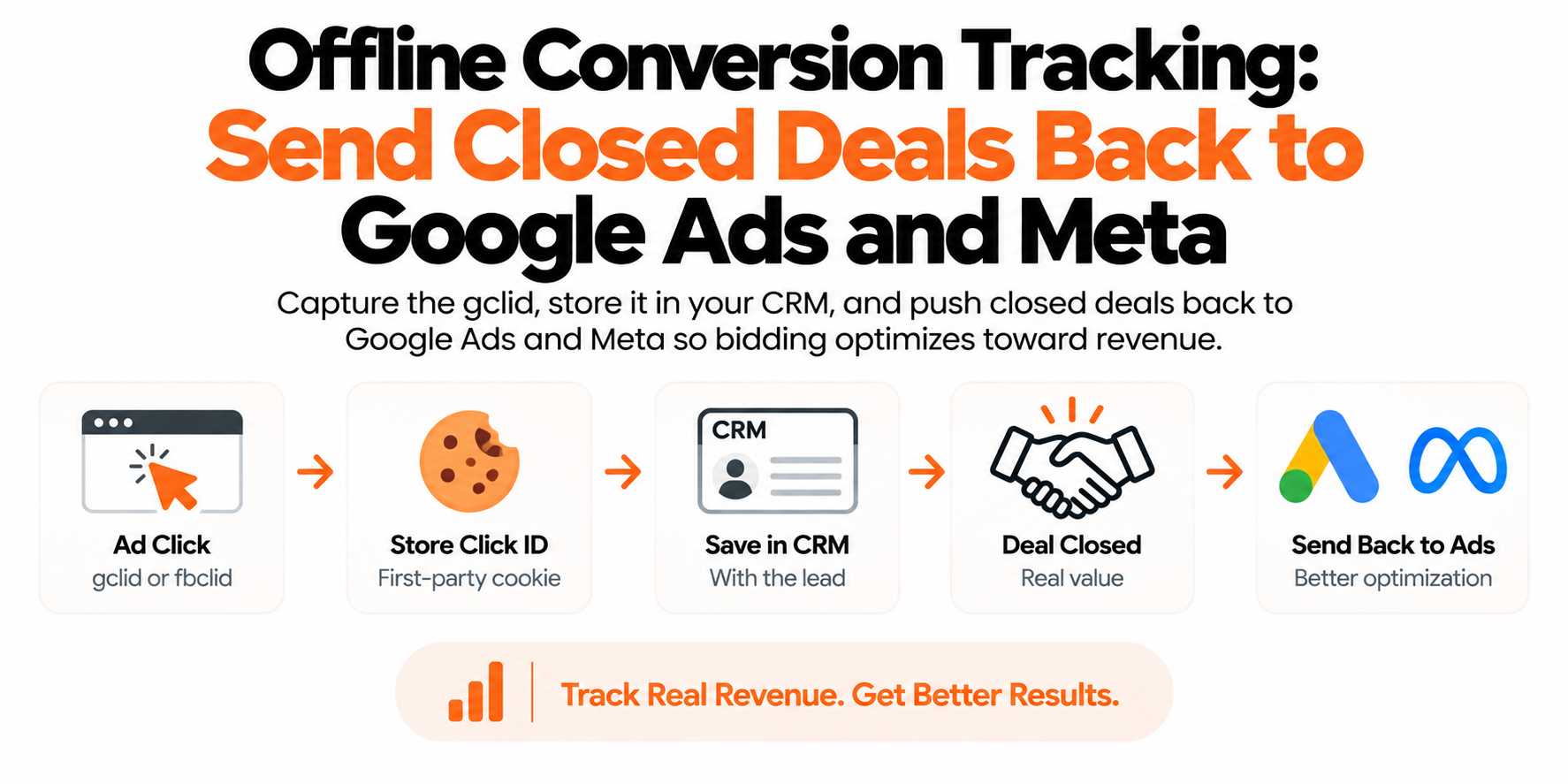
- Import the offline truth. For lead gen this is the endgame: push qualified-lead or closed-deal stages back into Google Ads via offline conversion import or enhanced conversions for leads, attach real values, and eventually make that the Primary action. Google can't optimize toward revenue it never sees.
How long until Smart Bidding recovers after the data is fixed?
Expect a rough couple of weeks, then judge on a full conversion cycle. The algorithm re-learns from conversions that arrive after your fix, so performance often looks worse before it looks better — especially if you demoted a high-volume junk action and reported CPA jumped to reflect reality. That jump isn't a regression. It's the first honest number you've seen in months.
One more lag to respect: with a 30-day click window, the last few days of any report are always undercounted because conversions are still trickling in. Judge the fix on matured data, not on yesterday. And keep the reconciliation habit — backend revenue versus Google Ads conversion value, once a month, five minutes. That one comparison catches every silent failure in this article, usually months before campaign performance does.

| Browser-only signal | First-party server-side |
|---|---|
| Loses iOS and blocker users first | Events sent from your own subdomain |
| Click IDs expire in 7 days (ITP) | Order values straight from backend |
| Values missing on some templates | Click IDs in longer-lived cookies |
| Bidder learns from who it can see | Bidder learns from every buyer |
How does first-party server-side data change what Smart Bidding sees?
It removes the bias, not just the gap. Browser-only tracking doesn't lose conversions randomly — it loses them disproportionately from iOS users, blocker users, and privacy-conscious segments, which in most niches are the higher-value customers. Smart Bidding then optimizes toward the users it can see, and quietly bids away from the profitable pockets it can't. That's a skew no bid strategy setting can correct.
First-party server-side tracking feeds the algorithm the complete set: conversions captured on your own subdomain that blockers never touched, true order values straight from the backend, and click IDs preserved in first-party cookies that outlast Safari's expiry. The machine finally learns from the same reality your bank account lives in. Of everything in this article, this is the change with the longest payoff — every day of complete data compounds into a better-trained bidder.
Frequently asked questions
Why is my Target CPA campaign getting conversions but no sales?
Almost always because a non-sale action is marked Primary, so Smart Bidding is optimizing toward signups, page views, or spam form fills instead of purchases. Segment your campaigns by conversion action and check what's actually inside the conversion column.
Should micro-conversions be Primary or Secondary in Google Ads?
Secondary, almost without exception. Primary actions feed Smart Bidding; Secondary actions are observation only. Keep add-to-carts and signups as Secondary for reporting and bid only toward real business outcomes.
How do I know if Google Ads is double counting conversions?
Compare 30 days of Google Ads conversion value against your backend revenue for the same period. If Google reports meaningfully more than your store actually took in, check that your purchase tag sends a transaction ID and that only one tag fires per order.
Does Smart Bidding work with offline conversion imports?
Yes, and for lead gen it's the strongest setup available. Import qualified-lead or closed-deal outcomes with values attached, mark that action Primary once volume supports it, and the algorithm optimizes toward pipeline instead of raw form fills.
Should I pause Smart Bidding while I fix conversion tracking?
Usually no. Fix the data, hold targets steady through a learning period of roughly two weeks, and let the algorithm adjust. Switching to manual bidding and back just adds another learning reset.
Why does Google Ads show more revenue than my Shopify backend?
Some gap is normal because Google credits conversions to clicks across its attribution window. A large, persistent gap is not: the usual culprits are duplicate purchase tags, missing transaction IDs, or a currency mismatch inflating values.
Do I need to change my tROAS target after cleaning up conversion data?
Probably, because the old target was calibrated against inflated numbers. Let performance stabilize on clean data, then set the target from what the honest conversion value supports.