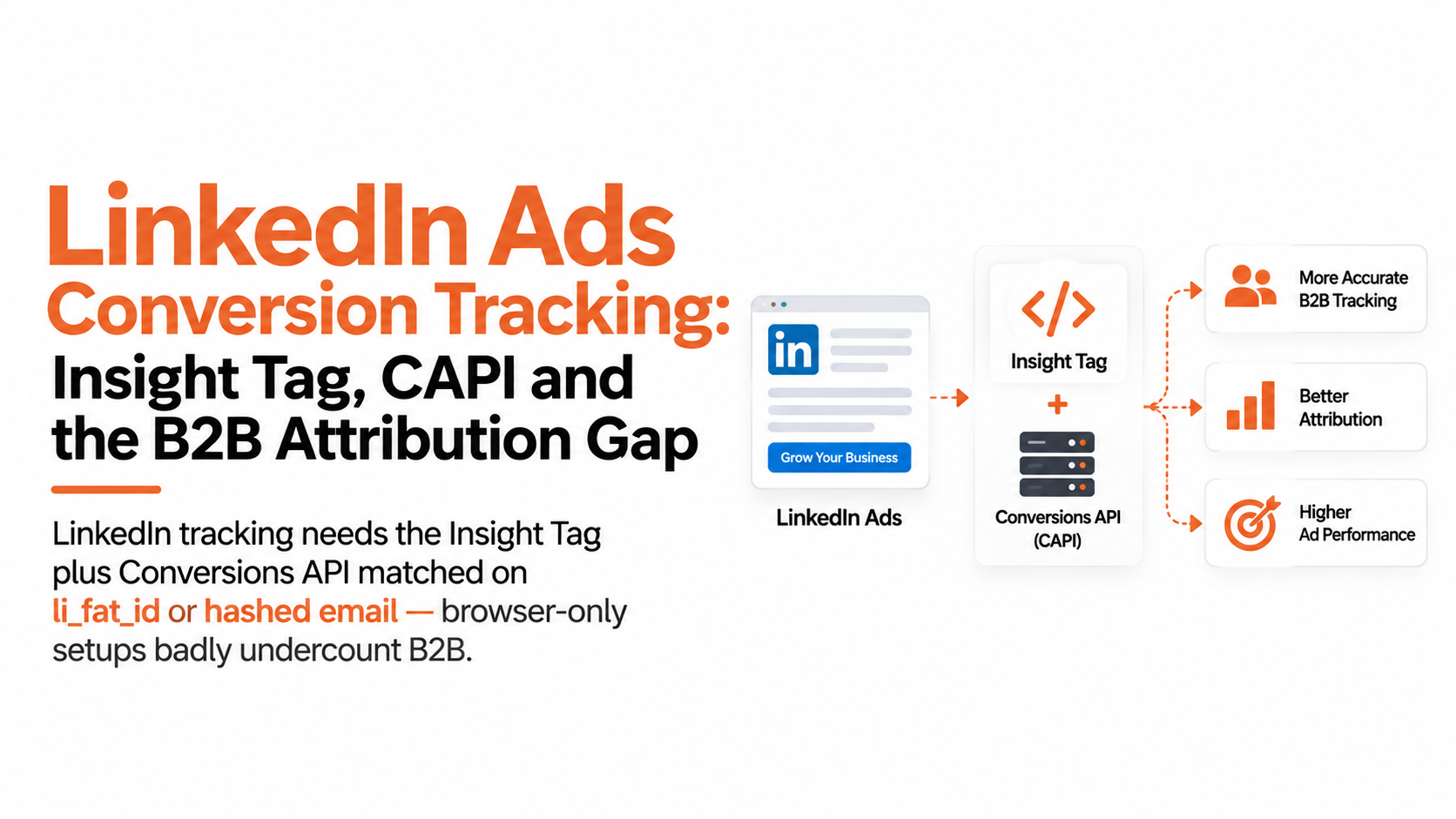
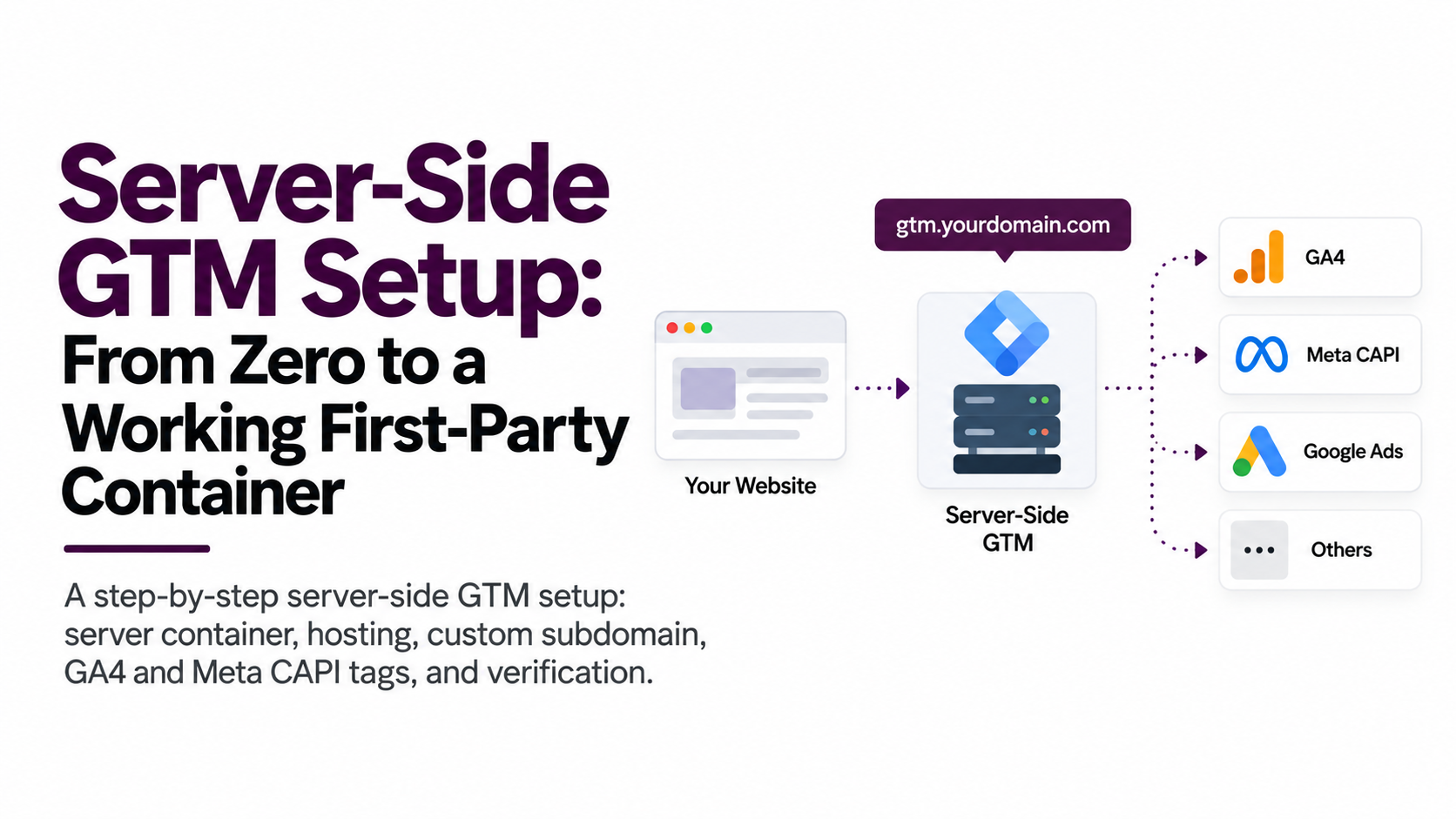
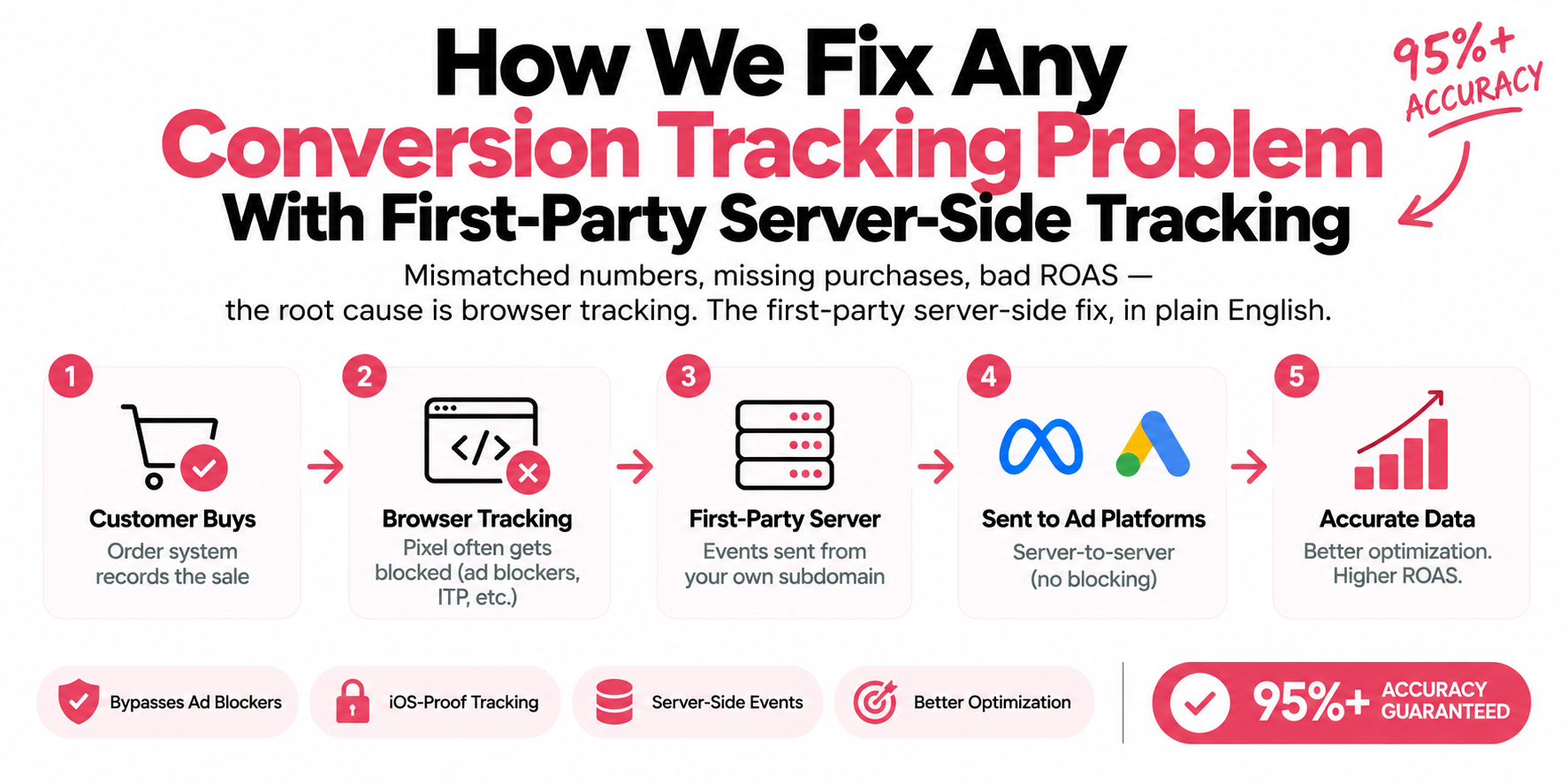
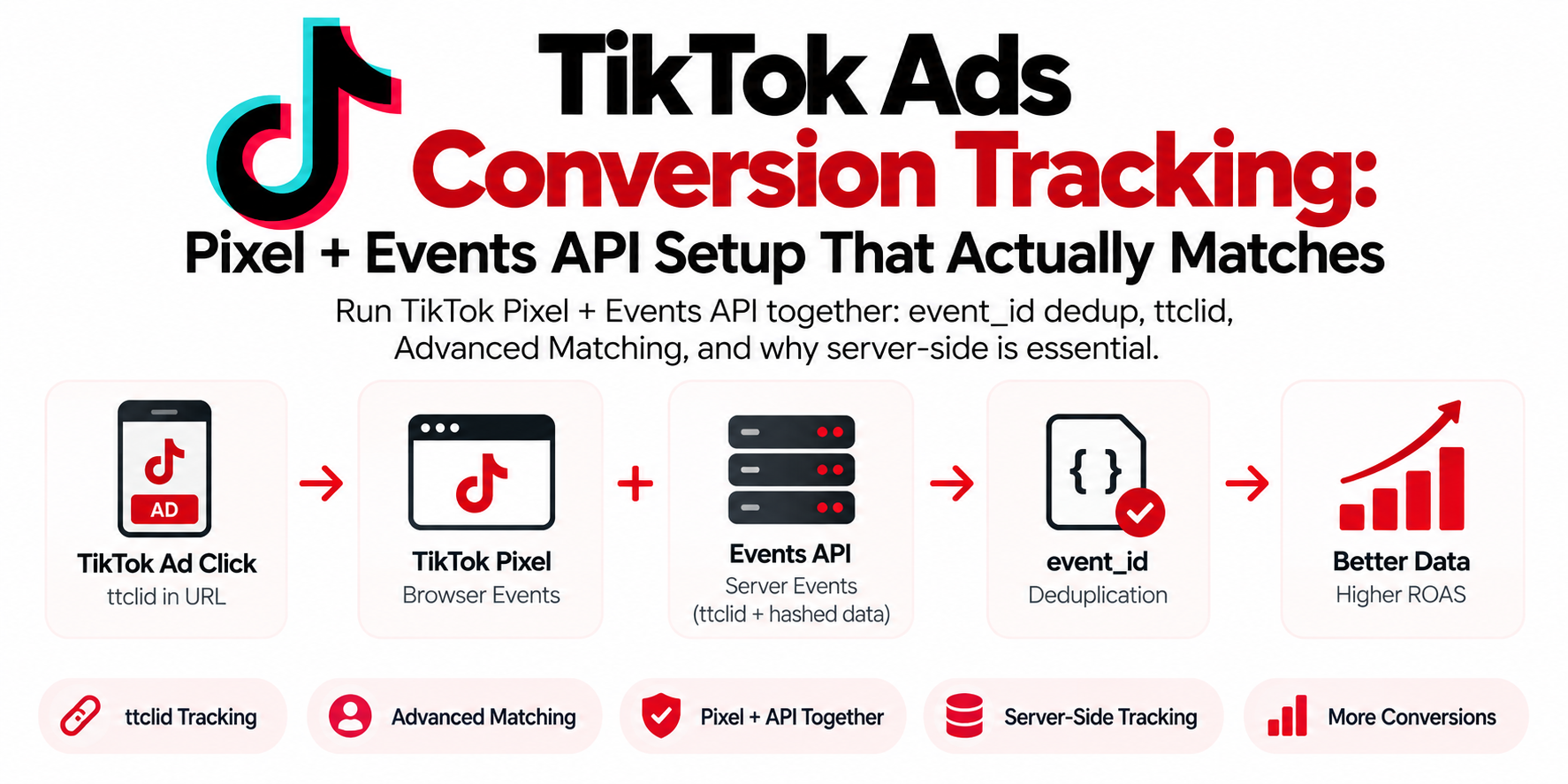
Browser-only tracking loses events before they reach the platforms. A first-party server container collects from both the browser and your backend.
Every week I get some version of the same message: "Ads Manager shows way fewer purchases than Shopify does. Do I need server-side tracking?" Usually the person asking has already read three contradictory blog posts and one Reddit thread that told them it's either mandatory or a scam. It's neither. It's an architecture decision, and like most architecture decisions, the right answer depends on what you're running.

| Client-side pixels | First-party container |
|---|---|
| Each pixel calls its platform direct | One event to ss.yourstore.com |
| Ad blockers kill the request | Server sends platform to platform |
| ITP caps JS cookies at 7 days | Cookies set in response headers |
| Four setups drift out of sync | One dataLayer, one consent gate |
What is server-side tracking?
Server-side tracking is a method of collecting and sending event data through a server you control instead of directly from the visitor's browser. Your website sends events to that server. The server processes them, applies your consent logic, and forwards them to platforms like Meta, Google Ads, TikTok, and GA4. That's the whole idea. Everything else is plumbing.
Compare that with classic client-side tracking. A pixel, meaning a JavaScript snippet like the Meta Pixel or the GA4 tag, runs in the browser and fires requests straight to Facebook's and Google's servers. The browser is the messenger. And the browser is exactly where tracking prevention, ad blockers, and flaky mobile connections all live.
Three clean definitions, because half the confusion in this space comes from sloppy terms:
Server-side tracking is a data collection architecture. Events travel from your site to your server, then from your server to the ad platforms.
Server-side Google Tag Manager (sGTM) is Google's product for doing it. It's a second Tag Manager container that runs on a server instead of inside the visitor's browser.
A tagging server is the machine, or managed service, that runs that server container. It typically lives on a first-party subdomain like
ss.yourstore.com.
One myth to kill early: server-side tracking is not a consent bypass. If a visitor in the EEA declines cookies, Consent Mode v2 still applies, and you still can't ship their personal data to Meta just because the request left your server instead of their browser. Anyone selling you server-side as a GDPR loophole is selling you a future fine.

| Layer | What sits there |
|---|---|
| Inputs | Web GTM transport URL, One purchase dataLayer push, Consent Mode v2 signals |
| ss.yourstore.com | The GA4 client parses the hit into one event object every server-side tag reads |
| Destinations | GA4, Meta CAPI, Google Ads Enhanced Conversions, TikTok Events API |
How does server-side tracking actually work?
A server-side GTM setup works as a hub: one stream of events in, many platform integrations out. Here's the flow on a typical Shopify or WooCommerce store:
The browser fires one tag instead of five. Your web GTM container still sends GA4-format events, but the transport URL points at your own subdomain (
ss.yourstore.com) instead of Google's servers.The server container receives the hit. The GA4 client inside sGTM parses the incoming request into a clean event object: event name, parameters, user data.
Tags fan out to each platform. A Meta Conversions API tag, a Google Ads Enhanced Conversions setup, a TikTok Events API tag, and a GA4 tag each read from that one event and send their own server-to-server request.
Cookies get set in HTTP response headers. Because the response comes from your own domain, identifiers survive far longer in Safari than anything JavaScript sets.
So one Purchase event leaves the browser once and lands on four platforms. That's the real appeal of the hub model: you maintain one dataLayer instead of four separate pixel implementations that slowly drift out of sync. The push on a purchase page looks like this:
window.dataLayer.push({
  event: "purchase",
  transaction_id: "SH-10482",
  value: 129.00,
  currency: "USD",
  event_id: "SH-10482", // same ID goes to the Pixel and to CAPI
  items: [{ item_id: "SKU-882", item_name: "Leather Tote", price: 129.00, quantity: 1 }]
});
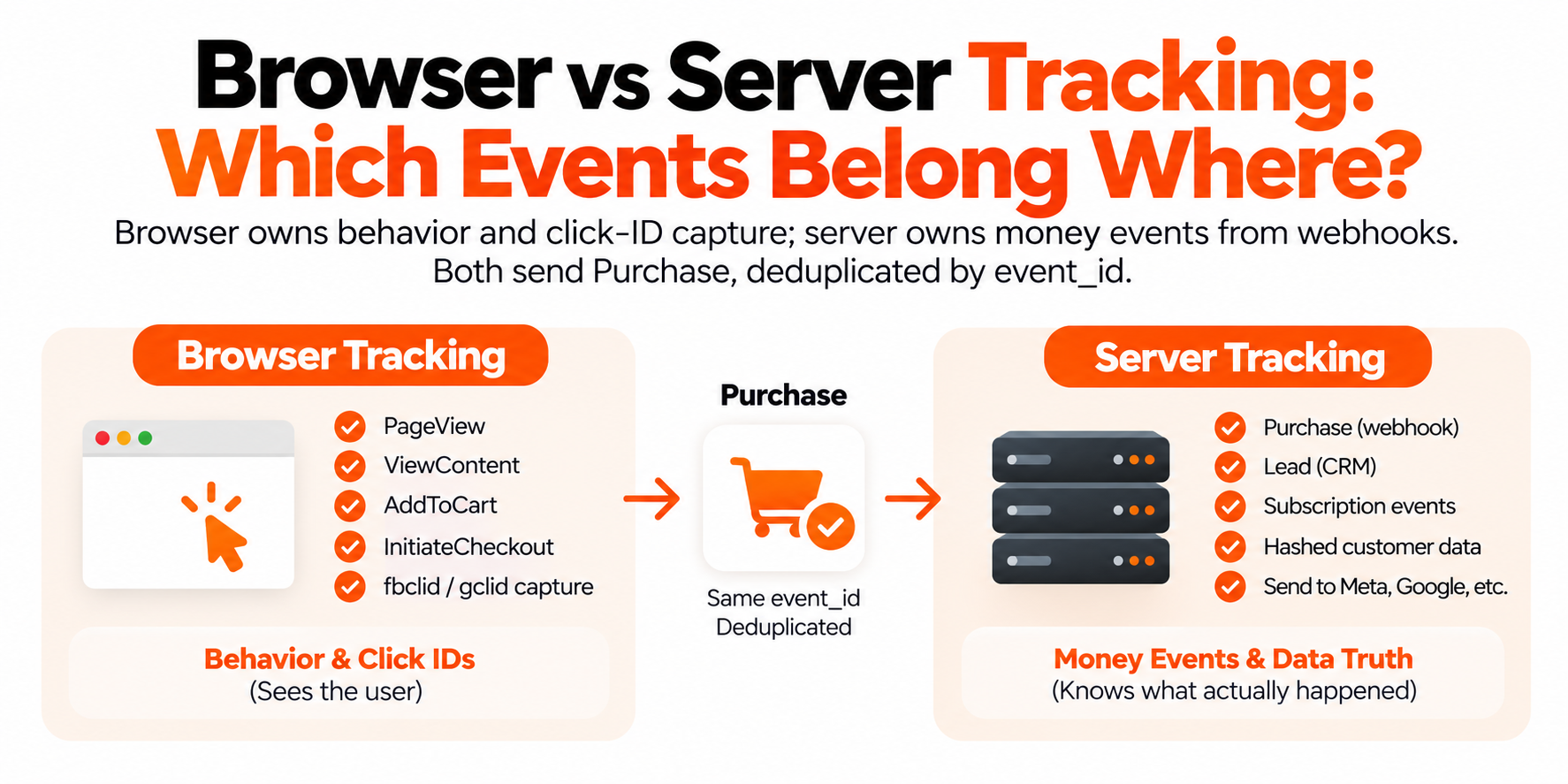
Deduplication is where most DIY setups faceplant. You'll usually keep the browser Meta Pixel running alongside the Conversions API, which means Meta receives every purchase twice. Meta deduplicates by matching event_name plus event_id across the two channels: same Purchase, same event_id in the pixel call and the CAPI call, and Meta keeps one. Mismatched or missing event IDs, and Ads Manager quietly double-counts your conversions. I've seen accounts run for months like that, scaling budgets against inflated numbers.

- One purchase — event_id SH-10482 pushed to the dataLayer
- Browser Pixel sends it — Carries _fbp, _fbc and browser context
- Server CAPI sends it — Same event_name and event_id, from your server
- Meta keeps one — Events Manager marks it deduplicated
What actually improves when you go server-side?
Four things improve, and it's worth being precise about them because vendors tend to promise a fifth and sixth that don't exist.
Cookie lifetime. Safari's tracking prevention caps JavaScript-set cookies at seven days. Cookies set by an HTTP response from your own first-party subdomain aren't subject to that specific cap, so your identifiers survive long enough to connect a Monday ad click to a next-week purchase.
Resilience to blockers. Requests to connect.facebook.net or google-analytics.com are on every blocklist in existence. Requests to your own subdomain, especially with a custom loader, mostly aren't. Blockers evolve, so nothing is invisible, but the gap is real.
Control. The server is a checkpoint you own. You can enrich events with CRM data, strip fields you don't want a platform to have, fix a malformed parameter for all four destinations in one place, and apply consent logic consistently.
Page speed. Fewer third-party scripts in the browser means less JavaScript to download and execute. Not a transformation, but measurable on script-heavy stores.
What does not improve: consented data you never had. A visitor who declines tracking is still declined. And a broken dataLayer stays broken; the server forwards garbage just as efficiently as it forwards good data.
Why are browsers losing your conversion data in the first place?
Because the browser stopped being neutral territory years ago. Three separate forces chip away at client-side data, and they stack.
Apple's App Tracking Transparency. Since iOS 14.5 back in 2021, apps like Facebook, Instagram, and TikTok have to ask permission before tracking you across other companies' apps and websites, and most people decline. That permanently reduced how much iOS ad traffic the platforms can attribute on their own. ATT is an app-level policy, so server-side tracking doesn't reverse it, but sending well-matched first-party data through CAPI is how Meta itself recommends compensating for the signal that's gone.
WebKit's Intelligent Tracking Prevention. Safari caps cookies set by JavaScript at seven days, and as little as 24 hours in some cases involving link decoration from known trackers. Your _fbp cookie and your GA4 client ID live in exactly that bucket. A Safari user who clicks your ad, thinks about it for ten days, and comes back to buy looks like a brand-new visitor. Your attribution didn't get worse because your marketing got worse; the cookie just died.
Ad blockers. A meaningful share of users, heaviest on desktop, run content blockers that kill pixel requests outright. Those visitors still buy. Client-side, they're invisible. Server-side, with a first-party endpoint, most of them come back into view.
I won't hand you a fake precision number like "you're losing exactly 27% of conversions," because the honest answer is that it depends on your audience: an iOS-heavy fashion brand bleeds far more signal than a desktop B2B site. What I can tell you categorically is that the gap between platform-reported and actual conversions grows with Safari share, and it never shrinks on its own.
Who needs server-side tracking now, and who can wait?
Ad spend and audience mix decide this, not hype. Here's the honest breakdown I give people on audit calls:
Your situation | Verdict | Why |
|---|---|---|
Spending $5k+/month on Meta, Google, or TikTok | Need it now | The algorithms optimize on your event data. Signal loss compounds with spend: every missing purchase mistrains the bidding. |
Ecommerce with a heavy iOS or Safari audience | Need it now | ATT and ITP hit exactly this traffic. This is the profile with the biggest measurable gap. |
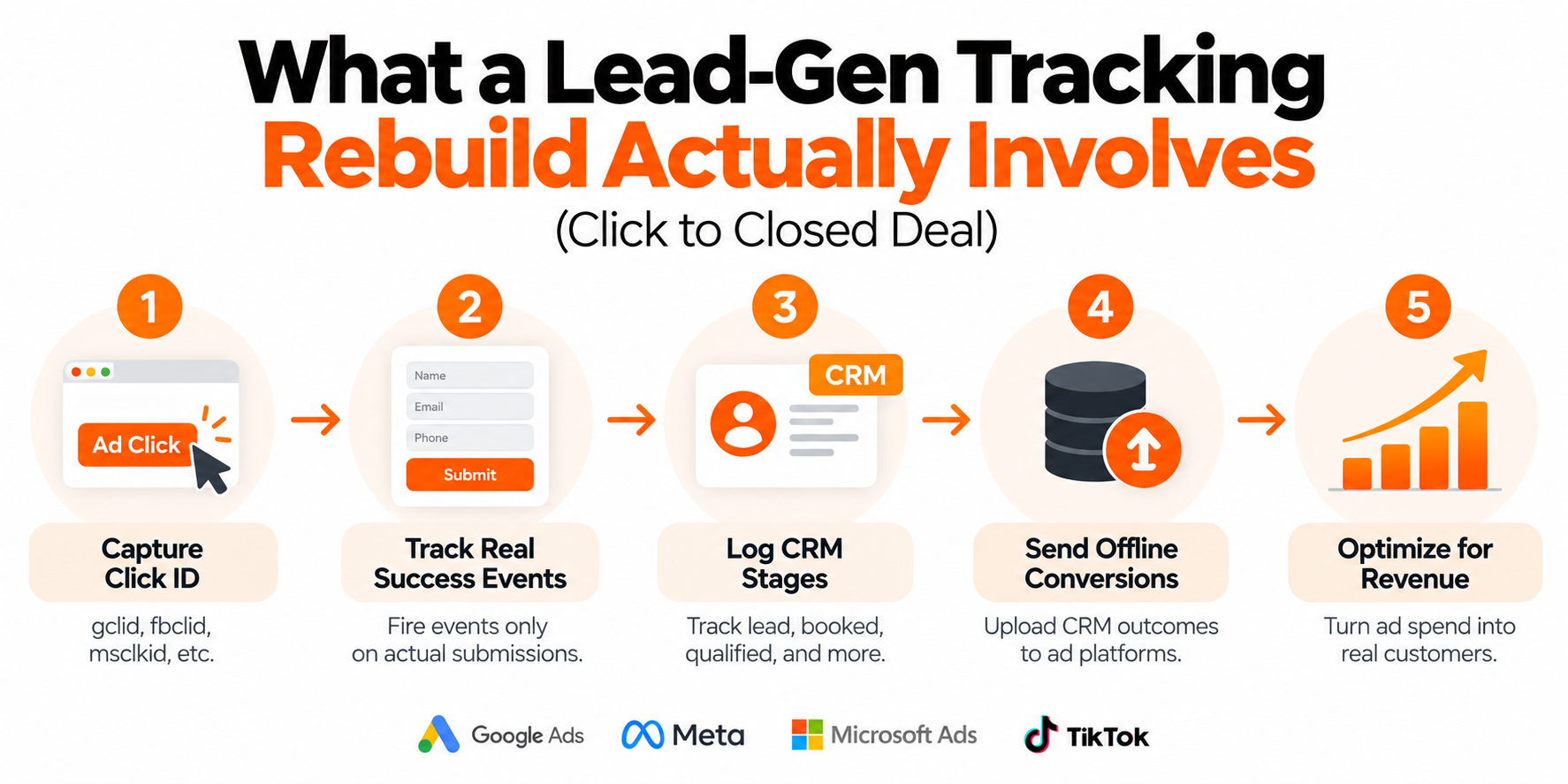
Lead gen feeding a CRM (GoHighLevel, HubSpot, etc.) | Need it now | A lead's value shows up days later. Server-side plus offline conversion uploads is how you feed real revenue back to the ad platforms. |
Meaningful EEA traffic | Need it soon | Consent Mode v2 is enforced. The server container gives you one checkpoint to apply consent correctly across every platform. |
New store, under ~$1–2k/month ad spend | Can wait | Fix the fundamentals first: clean dataLayer, correct Pixel and GA4 events, event_id in place so you're dedup-ready later. |
Content site with no paid acquisition | Skip it | You'd be paying hosting to solve a problem you don't have. |
If you're in a "can wait" row, wait properly. Structure your dataLayer now with transaction IDs and event IDs on every conversion event, so the eventual migration is a weekend project instead of a rebuild. The stores that suffer are the ones that duct-taped three pixel setups over two years and then try to reconcile them into a server container.
And if you're in a "need it now" row and putting it off: understand that the cost isn't a fine or an outage. It's quieter than that. It's Meta optimizing toward the wrong people because it only sees half your purchases, and you paying for that mistraining every single day.
What does server-side tracking cost in money and effort?
Less than most agencies imply and more than "free," which is the answer nobody puts in a headline. Three cost lines:
Hosting. The server container has to run somewhere. Managed hosts like Stape run on monthly plans priced by request volume; for most small-to-mid stores that lands somewhere in the tens of dollars per month, with a free tier available for genuinely tiny traffic. Self-hosting on Google Cloud Run gives you full control and usage-based billing, but now you own uptime, scaling, and a GCP console. For most store owners, managed hosting is the right call; the money you save self-hosting evaporates the first time you debug a cold-start issue at midnight.
Setup. A single platform, say Meta CAPI through sGTM on a Shopify store, is a realistic DIY project if you're already comfortable in GTM and can add a DNS record. The full hub with four platforms, deduplication verified in Events Manager, Enhanced Conversions confirmed in Google Ads, and consent wired through everything is where people hire it out. Market rates vary wildly; think a one-time project fee in the hundreds to low thousands depending on stack and platform count, not a monthly retainer.
Maintenance. This is the line everyone forgets. Platform APIs change, tag templates update, you launch new events, consent rules evolve. It's not heavy, but it isn't zero. Budget a few hours a quarter for someone to check Events Manager diagnostics and EMQ scores, or the setup quietly degrades and nobody notices until a campaign tanks.
Is server-side tracking worth it for you?
If you're spending real money on paid traffic, yes, and the case gets stronger every year Apple ships a new WebKit release. The math is straightforward: ad platforms bid, optimize, and report based on the conversion events you send them. Feed them a partial picture and every downstream decision, theirs and yours, is built on that partial picture. Server-side tracking is how you make the picture as complete as consent allows.
If you're not spending on ads, or you're spending pocket change while you find product-market fit, put the money into creative and offers instead. Get the client-side basics clean, structure your events for the future, and come back to this when the spend justifies it. Server-side tracking rewards businesses that already have signal worth protecting.
Frequently asked questions
Does server-side tracking replace the Meta Pixel?
No. The standard setup runs the browser Pixel and the Conversions API together, with the same event_id on both so Meta deduplicates them. The Pixel still contributes browser signals like _fbp and _fbc that improve match quality on the server events.
Is server-side tracking legal under GDPR?
The architecture itself is legal; what matters is what you send and whether you have consent. Server-side tracking doesn't exempt you from Consent Mode v2 or from honoring a visitor's rejection. It gives you a single checkpoint to enforce consent properly, which done right makes compliance easier, not harder.
What is a tagging server?
A tagging server is the server that runs your Google Tag Manager server container, usually reached through a first-party subdomain like ss.yourstore.com. It receives events from your website and forwards them to ad and analytics platforms. You can self-host it on Google Cloud or use a managed host like Stape.
Does Shopify's built-in Meta integration count as server-side tracking?
Partially. Shopify's Facebook & Instagram app does send Conversions API events, but you get limited control over parameters, match quality, and deduplication, and it does nothing for Google, TikTok, or GA4. A dedicated sGTM setup covers all platforms from one place with full control.
Do I need server-side tracking for GA4?
Need is strong; GA4 works client-side. Routing it through a server container extends cookie life in Safari, dodges some blockers, and lets you control exactly what Google receives. If you're building the hub for Meta and Google Ads anyway, adding GA4 to it is nearly free effort.
How long does it take to set up server-side tracking?
For a typical store adding Meta CAPI and Google Ads Enhanced Conversions through sGTM, days rather than weeks, assuming the dataLayer is in decent shape. A messy existing setup adds time, because you fix the foundation before you build on it.
Will server-side tracking improve my ROAS?
Indirectly. It improves the completeness of the conversion data that both your reporting and the platforms' optimization run on, which usually means better-informed bidding and more accurate ROAS numbers. It will not rescue a weak offer or tired creative; it fixes measurement, not marketing.
Can I set up server-side tracking without a developer?
If you're comfortable inside Google Tag Manager and can add a DNS record, a single-platform setup on a managed host is doable solo. Multi-platform builds with deduplication, Enhanced Conversions, and consent wiring are where most people bring in a specialist, and honestly that's the part worth paying for.