Broken ecommerce tracking almost never looks broken. Nothing errors, the pixel shows green, Events Manager looks alive. It goes wrong quietly, and it surfaces only when you set the ad platform's purchase count beside your own order export. Here's the walkthrough, no client story attached.
What do we find on day one?
The same handful of failure patterns, in almost every audit, whatever the platform or the spend. A store rarely has one of these; it has four.
- Purchase fires on the thank-you page and nowhere else. Revenue reporting then depends on the shopper reaching one page, keeping the tab open long enough for a script to finish, and running no blocker.
- No
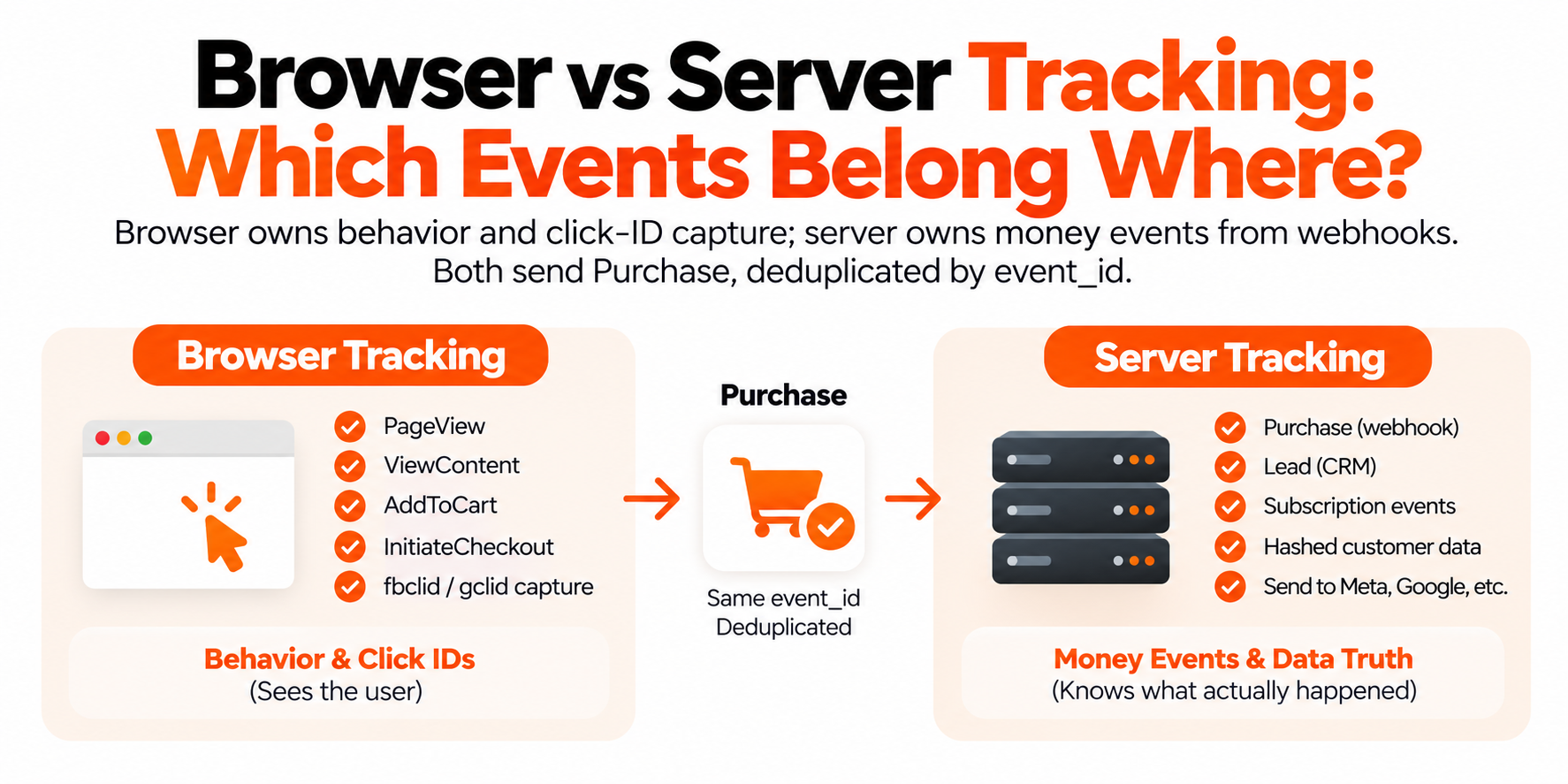
event_idanywhere. A pixel and a Conversions API call both sending Purchase only merge if they share an event ID and name. Without it you double-count — or someone kills one source to stop the doubles and loses what it caught alone. - Native integrations with nobody controlling value. The Shopify sales channel, a plugin, and a pixel hardcoded into the theme. Three sources, same order: one includes tax and shipping, one doesn't, one sends the pre-discount subtotal.
- Consent set up for the wrong country. US-only stores running an EU-style banner that blocks tags before anyone clicks, deleting conversions that never needed the treatment. Or the reverse: nothing for CCPA/CPRA opt-outs or Global Privacy Control.
- Test orders and refunds still in the data. Internal traffic never excluded, canceled orders counted as wins, subscription rebills reported as new purchases — so the model trains on revenue no ad caused.
None of that is exotic. It's what accumulates when a stack gets edited by five people over three years and nobody re-checks the plumbing, because the dashboards keep showing data. Data isn't the same as correct data.

- Pull 30 days of backend orders — The store's order table is the benchmark, not the dashboards under suspicion
- Score count and value accuracy — Two separate failures — a setup can pass one and fail the other badly
- Field-check ten real orders — Order ID, value, items, event_id, click IDs, hashed email, consent state
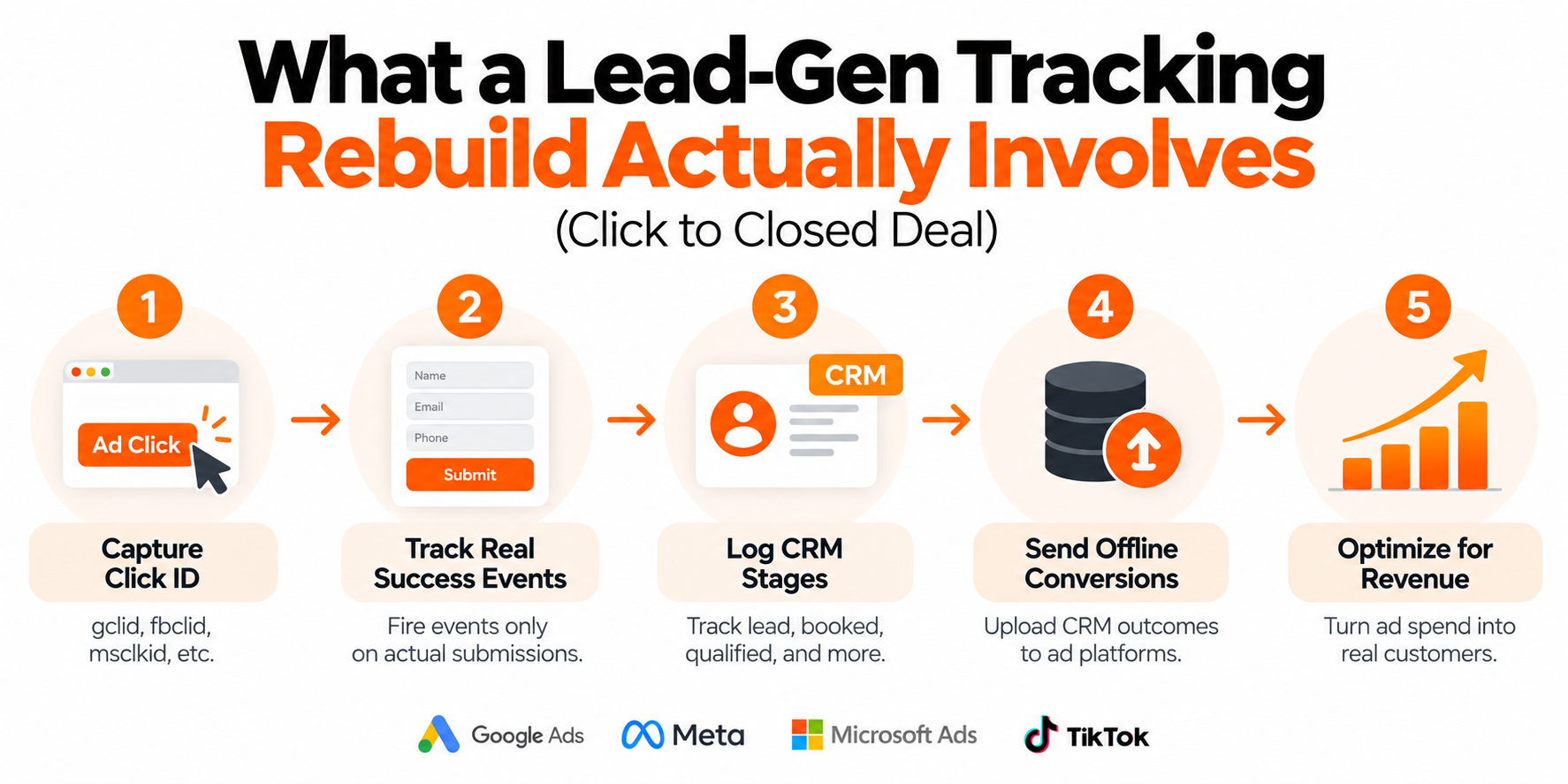
- Build the server container — On your own subdomain, fed by the order webhook, with one event ID per order
- Run alongside, retire duplicates — Nothing is switched off until the new source is verified against real orders
- Reconcile again and show both — The same comparison after the build; the floor is 95% and most land near 98%
What does the audit measure, and against what?
Against your store's order table — not the ad platform's dashboard, which is the thing under suspicion.
We pull every backend order for a fixed window, usually 30 days, and set it beside what Meta, Google Ads, and GA4 reported for the same range. Two numbers fall out: count accuracy and value accuracy. Different failures, different causes — a setup can pass one and fail the other badly. Then we go field by field on ten real orders:
- Order ID, and whether it's used as the dedupe key
- Value and currency, and whether tax, shipping, and discounts are handled the same way everywhere
- Items array — IDs matching the product feed, quantities, prices
event_idpresent and identical on the browser copy and the server copy- Click IDs:
fbclidinto_fbc,_fbppresent,gclidstored and returned - Hashed email, phone, and ZIP, normalized before hashing, plus the consent state when the event fired
Ten orders is enough. If a field is missing on eight of them, you need a fix, not a bigger sample. Want to run the count comparison yourself? Here's the method.

| Browser-fired Purchase | Order-sourced Purchase |
|---|---|
| Needs the shopper to reach one page | Fires because an order exists |
| Killed by blockers or an early close | Built from the backend order record |
| Three sources, three different values | One event ID per order everywhere |
| No event_id, so copies double-count | Hashed email and phone every time |
| ITP caps script cookies at 7 days | Server sets first-party cookies |
What actually gets built?
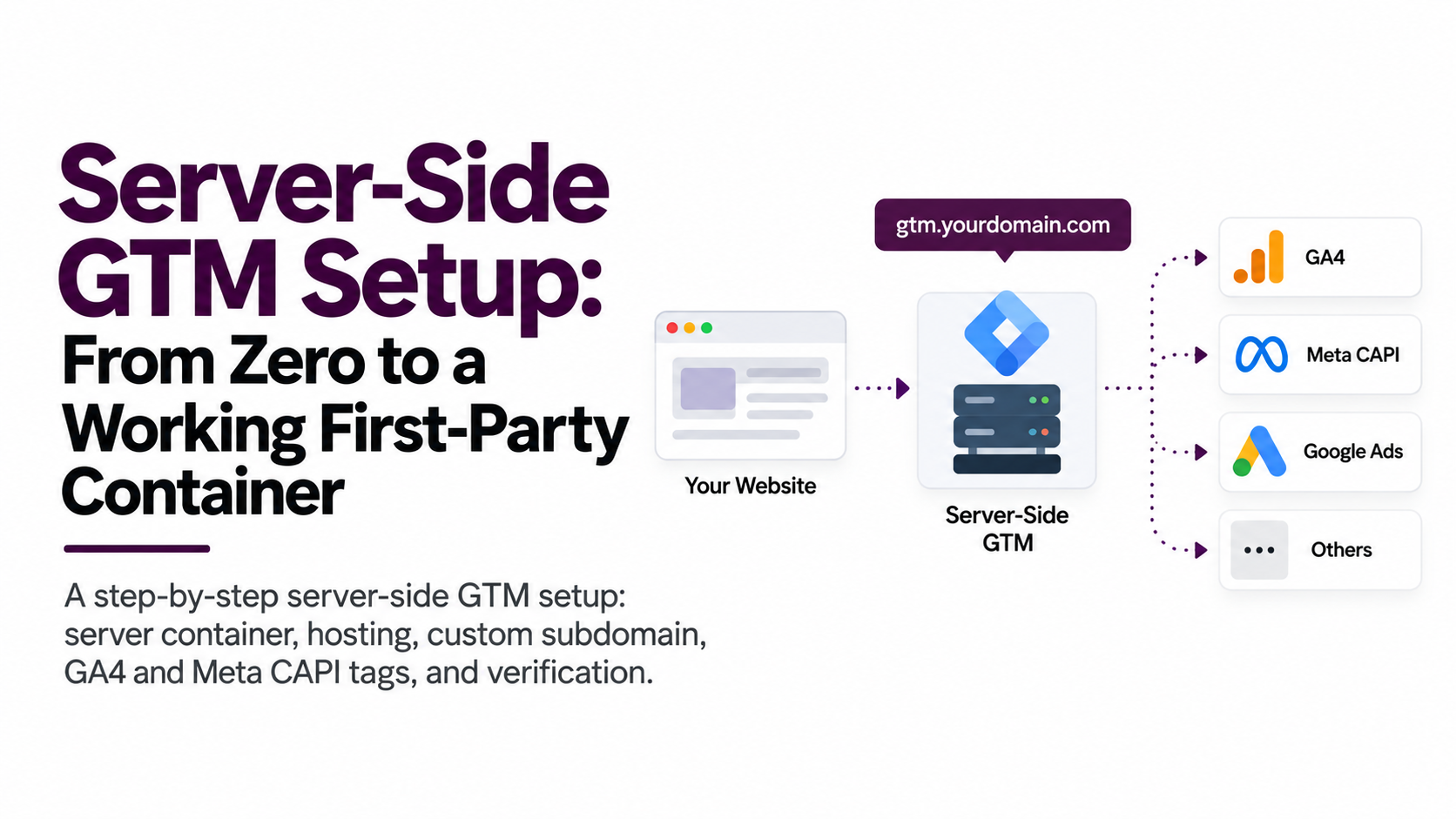
A server container on a subdomain of your own domain, fed by a purchase event from your backend instead of a page load. Everything else hangs off those two decisions.
- Server-side GTM container on your subdomain, something like
sgtm.yourstore.com. That's what makes it first-party: requests go to your domain, and your server sets the cookies, not a page script. - Purchase sourced from the order — the order webhook on Shopify, the order-complete hook on WooCommerce. The event exists because an order exists, not because a browser ran JavaScript.
- One event ID per order, everywhere, so the browser copy and the server copy merge instead of counting twice.
- Consent travels with the event. US opt-outs map to Limited Data Use for Meta and restricted data processing for Google; EEA and UK traffic gets Consent Mode v2 signals.
- Enrichment before it ships: hashed email and phone from the order record, click IDs restored from first-party cookies, items matched to your feed IDs, refunds sent as offsetting events.
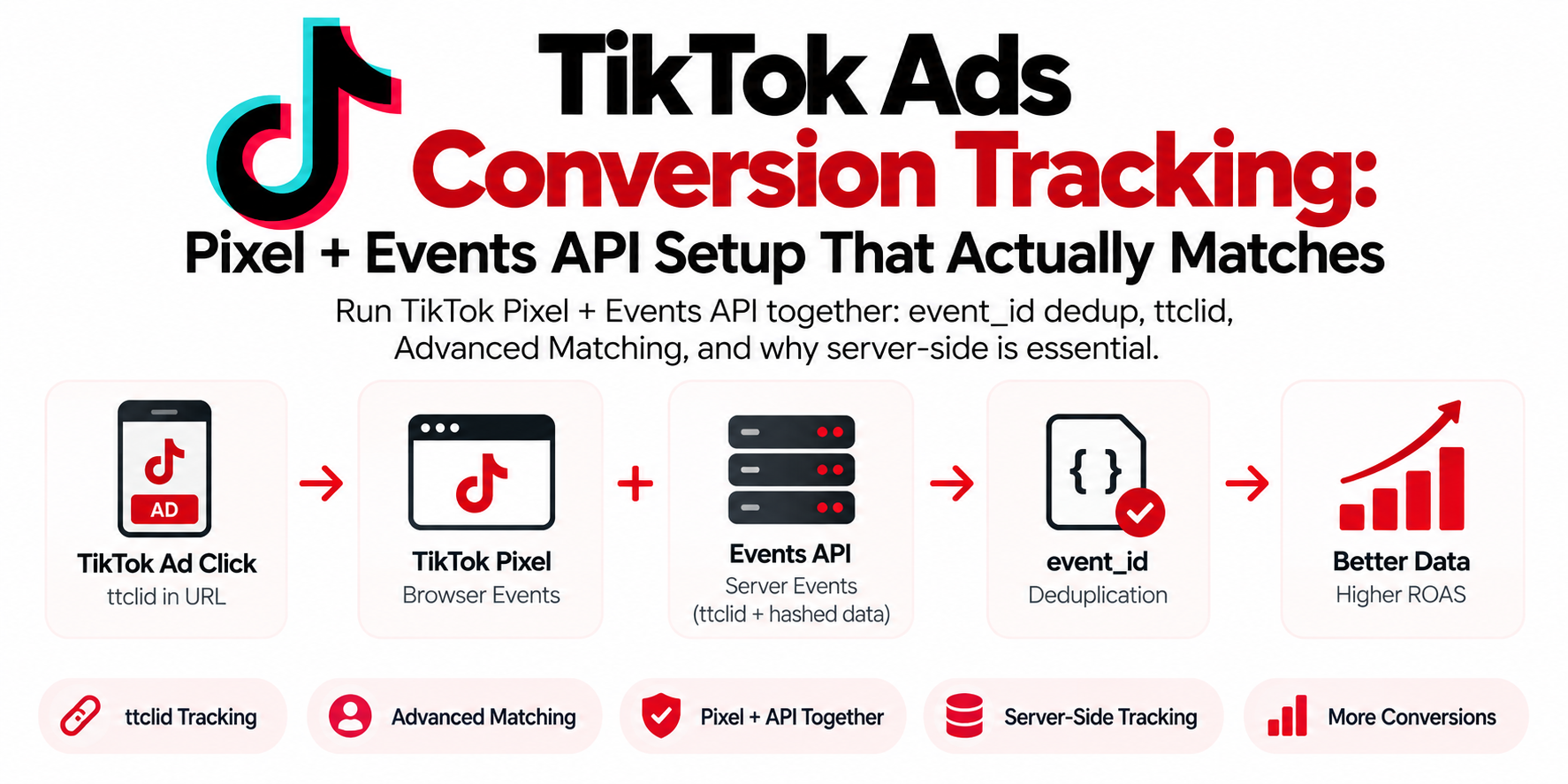
- Every destination fed from that one source — Meta CAPI, Google Ads Enhanced Conversions, GA4, TikTok Events API, Microsoft UET. One event, one value, one dedupe key.
The mechanics are their own subject — I wrote those out in the server-side GTM setup guide. The shape is the point: the store tells the server what happened, the server tells the platforms.

| Layer | What sits there |
|---|---|
| Inputs | Shopify order webhook, WooCommerce order hook, First-party click ID cookies, Refunds and cancellations |
| sgtm.yourstore.com | Enriches the order, applies consent, stamps one event ID per order |
| Destinations | Meta CAPI, Google Ads Enhanced Conversions, GA4, TikTok Events API, Microsoft UET |
What is first-party server-side tracking, in plain language?
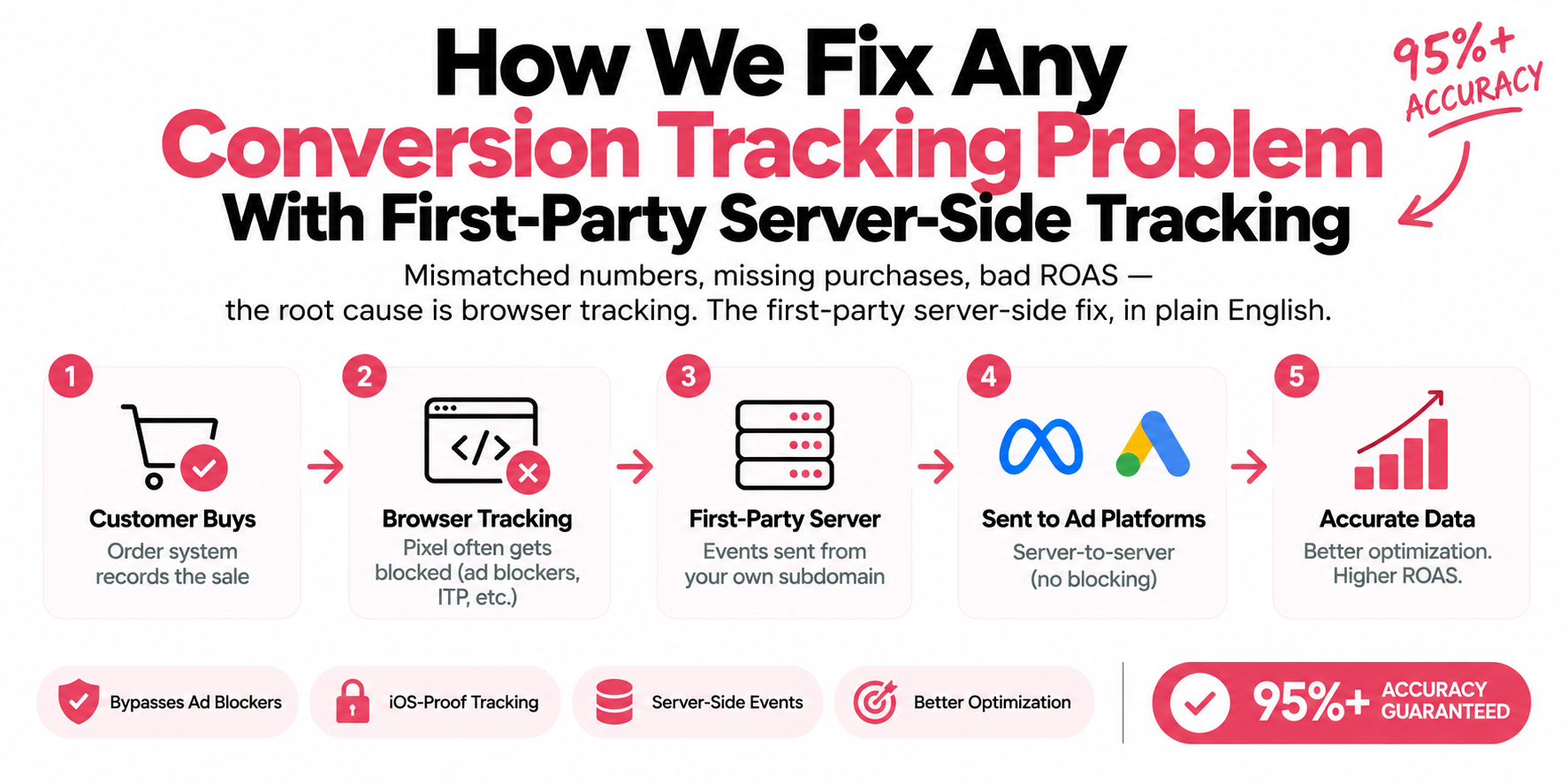
Normal tracking runs on the shopper's device: a script in their browser spots a purchase and sends it to Meta or Google. Server-side tracking moves that job onto a machine you control, at a subdomain of your own domain, and your store talks to it directly.
For an ecommerce rebuild, that changes four things. The purchase stops being cancelable by the browser — blockers, privacy extensions, and a tab closed one second early all kill a browser-fired Purchase, and none of them reach your backend. Cookies get longer legs: Safari's ITP caps cookies written by JavaScript at seven days, so someone who clicked an ad and bought eleven days later reads as unattributed, while cookies set by your own server aren't held to that limit. Match quality goes up, because an event built from the order record carries hashed email and phone every time — and better match rates are what make platforms bid toward people who resemble your real buyers. And you keep control: the server decides what leaves, so you honor a US opt-out or an EEA consent choice by stripping fields instead of going dark.
That's why "rebuild" is the right word. You're not adding a tag, you're changing where the truth comes from.
How do we prove it worked?
By running the same reconciliation after the build that we ran before it, and showing you both. Once the container has been live long enough for a clean window, we pull backend orders again and set them against platform-reported conversions for the same range. Count and value. That's the deliverable, not a screenshot of a green Events Manager.
The floor is 95%. That's what we guarantee, and most builds land near 98%. Under the floor the engagement isn't finished, so we go find where the orders leak — usually one path: a subscription flow, a POS channel, an off-site payment redirect. Supporting signals get checked too: dedup behaving in Events Manager, Event Match Quality on Purchase (Meta scores it 0–10), Google Ads confirming Enhanced Conversions data is matched. The order table is the verdict.
What changes in the ad account afterward?
Two things, and sales pitches conflate them. The first is reporting: more real orders get counted, so reported conversions rise and CPA falls on the same spend. Nothing about the business changed that day. Anyone selling that as a performance win is selling you your own sales back.
The second is slower, and it's the one that matters. Smart Bidding, Advantage+ budget allocation, every automated system learns from the conversions you report. When only a fraction make it back, the model trains on a skewed sample: buyers who don't block scripts, who use Chrome, who wait on the confirmation page. Optimize toward that slice long enough and you drift toward the customers who are easiest to measure rather than the most profitable.
How much does that move ROAS? I don't know, and neither does anyone else. It depends on your budget, your account structure, and whether your offer converts. A rebuild fixes the input. Anyone quoting a guaranteed lift from a tracking project is guessing and calling it a forecast.
What doesn't a rebuild fix?
Plenty, and this is the part most agencies skip. It doesn't fix a weak offer: if your $60 product loses to a competitor's $45 version with free returns, perfect measurement shows you losing at higher resolution. It doesn't fix creative — you'll learn which ads underperform, and somebody still has to make better ones. It doesn't fix margins, a four-step checkout, or out-of-stock bestsellers in your feed.
It also doesn't turn platform attribution into truth. Meta and Google grade their own homework and always will. Better data narrows the gap, but you still want blended spend against total revenue as the check. A rebuild buys you the right to trust your inputs.
Frequently asked questions
How long does an ecommerce tracking rebuild take?
Usually two to four weeks: a few days for the audit, one to two weeks for the build depending on platform and channel count, then enough order volume to reconcile.
Do I need a rebuild, or just a fix?
Compare reported purchases against your store's order count for the same 30 days. A gap of a few percent means targeted fixes. A large gap, or wrong values as well as counts, means rebuilding, not patching.
Will this break my existing tracking while you build it?
No. The server container gets built alongside what's already running and verified against real orders, and only then do we retire the duplicate sources. The store never stops reporting.
Does server-side tracking mean I can ignore consent laws?
The opposite. It gives you finer control over what's shared, so you honor a CCPA/CPRA opt-out or a Global Privacy Control signal by stripping identifiers rather than dropping the event, and apply Consent Mode v2 to EEA traffic.
Do I still need the browser pixel after going server-side?
Usually yes. Browser events carry signals the server can't see alone, like the _fbp cookie and on-site behavior, and the two copies deduplicate once they share an event ID.